Introducing the AdGuard DNS mobile app: A new way to stay protected
We’re excited to announce something simple, yet powerful: the AdGuard DNS mobile app is here!
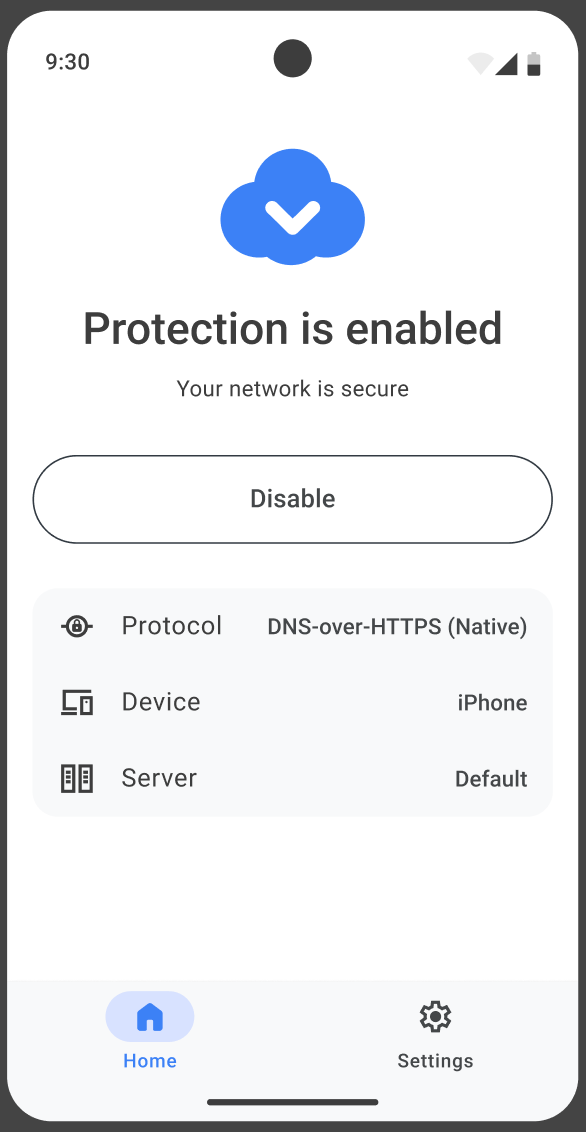
Available for Android and iOS, this lightweight app makes it effortless to configure your mobile device to use AdGuard DNS servers. If you don’t need advanced AdGuard features but still want secure, privacy-friendly DNS, the AdGuard DNS mobile app is the simplest way to get it in just a few taps.
Who should try it
If you’re looking for DNS-level protection — blocking ads, trackers, and malicious websites — but don’t need the full range of features offered by AdGuard Ad Blocker or AdGuard VPN, this app is perfect for you.
If you ever want to go further, you can always explore AdGuard Ad Blocker and AdGuard VPN apps for advanced protection and more configuration options.
What’s inside
Easy setup
Instead of installing extra apps or going through complicated instructions, you just enter a single setup ID, provided in the dashboard, and you’re done — the device will be tied to your account. Even non-technical users can set it up in seconds.
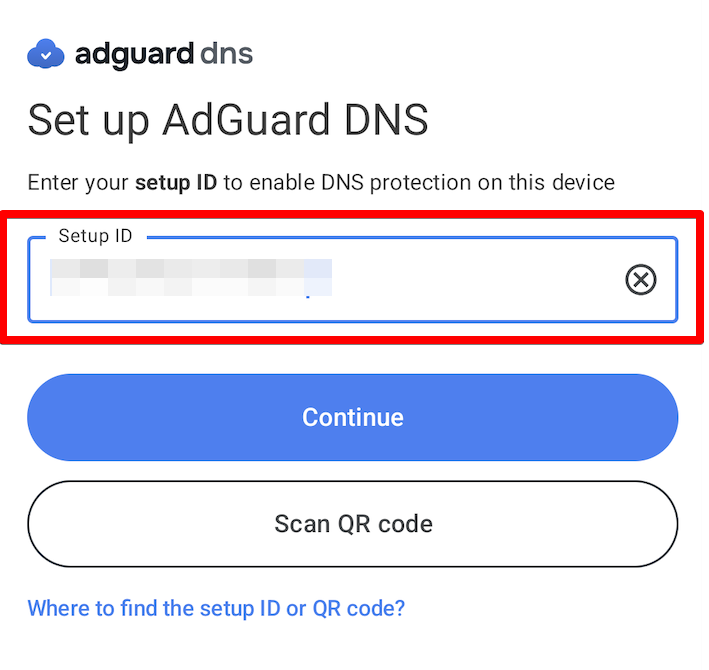
Don't feel like typing? Just scan a QR code and the app will automatically connect your device to your account. This makes it easy to set up protection on your family’s or team’s devices.
You can find the setup ID and the QR code in your dashboard. On the Home tab, click Add new device and follow the instructions on the page.
Choose your protocol
The AdGuard DNS app supports all major DNS protocols, letting you pick the best one for your device and connection type.
Both Android and iOS users can choose a VPN-based mode for more flexibility (DNS-over-HTTPS, DNS-over-TLS, or DNS-over-QUIC) — AdGuard DNS uses a VPN profile to route your requests to the selected DNS server. Exclusively on iOS, users have access to the native OS protocol (DNS-over-HTTPS or DNS-over-TLS).
To choose a protocol, go to Settings and tap Protocol in the General section. Select the one that suits you best.
Getting started
Ready to enable DNS protection? Here's a simple guide to get you started:
- Go to your AdGuard DNS dashboard at adguard-dns.io/dashboard.
- Click Add new device on the Home tab.
- Select your device type and give it a name, then click Next.
- Expand the Use AdGuard Apps section.
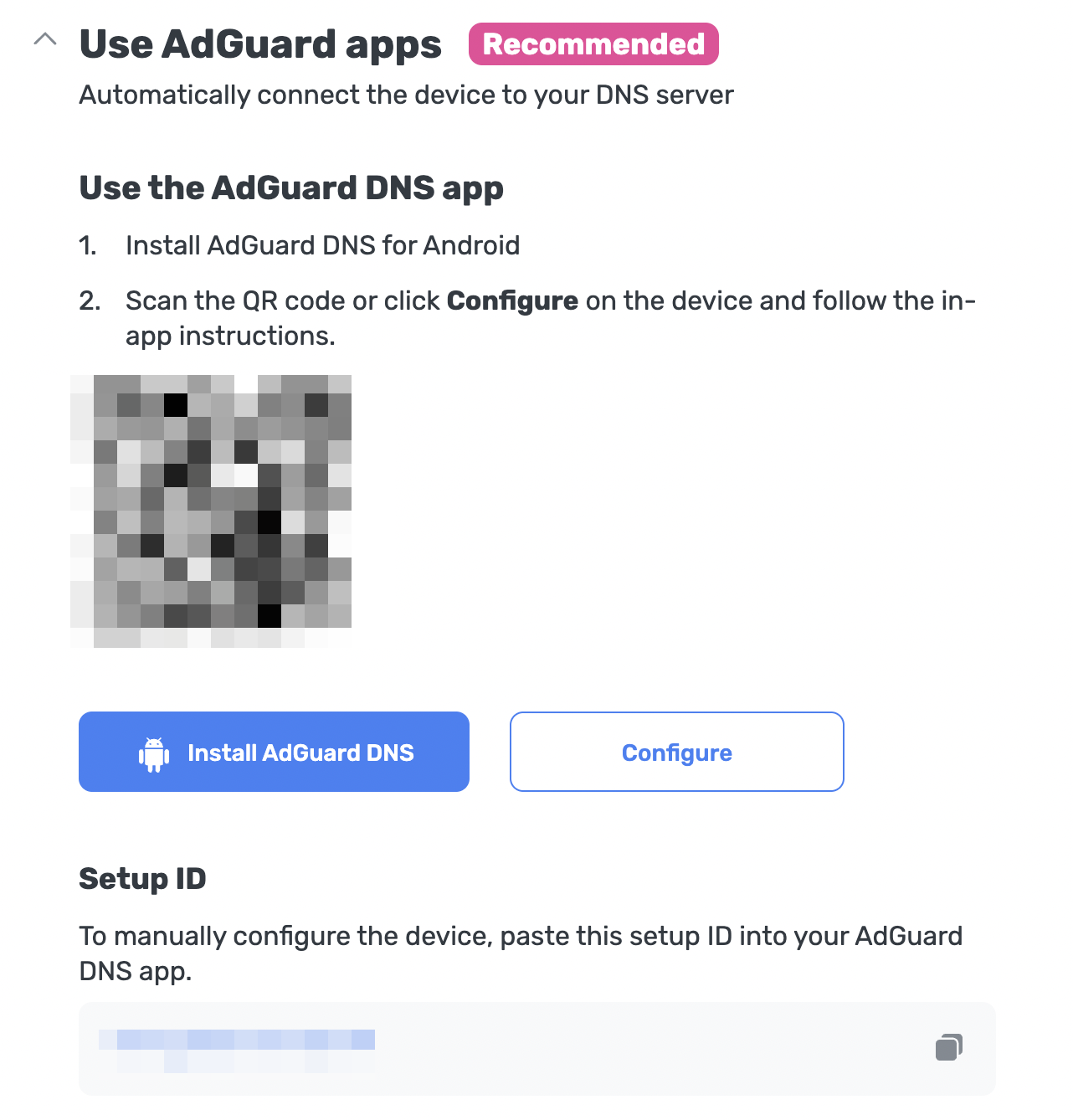
- Under Use the AdGuard DNS app, choose one of these setup methods:
- Click Configure if you’re on the device you want to protect.
- Scan the QR code with the device you want to protect.
- Copy your Setup ID and paste it directly into the app.
- Follow the in-app instructions to complete the setup.
When using a VPN-based protocol, you still need to allow creating a VPN profile before being fully protected. To do this, go to the app’s home page, click Enable, and follow the in-app instructions.
iOS users who prefer native DNS still need to go to Settings → General → VPN & Device Management → DNS and enable AdGuard DNS.
What’s coming next
This is version 1.0, just the beginning. We already have a roadmap full of improvements and new features, so you can expect regular updates with enhancements. And yes, we’re also working on a desktop version!
Ready to try?
If you’re as excited as we are to experience an easier way to set up your AdGuard DNS, now is the time to jump in.
Install it, try out, and let us know what you think. Every bit of feedback helps us make AdGuard better for everyone.
- Found any bugs? Want to request a feature? You can submit them directly to our GitHub repository.
- Want to share your opinion? Find us on our social media.
Thank you for being part of our community!