AdGuard DNS v2.17: Secure API integration and custom block pages
AdGuard DNS v2.17 is mainly targeted at advanced users and corporate clients. This update introduces API key access to the AdGuard DNS API, enabling secure and seamless integration with third-party services. It also adds the ability to customize block pages that appear when users try to access dangerous or restricted sites.
Secure integration with API keys
We’re improving the access system for the AdGuard DNS API by transitioning from using account credentials (username and password) to API keys for authentication.
What is the AdGuard DNS API?
The API allows you to manage AdGuard DNS settings without logging into the web interface, enabling you to control it through code or automation. You can, for example, add domains to the blocklists, enable or disable filters, get query statistics, or configure DNS for multiple devices. This is especially useful for integrations, scripts, or home automation systems.
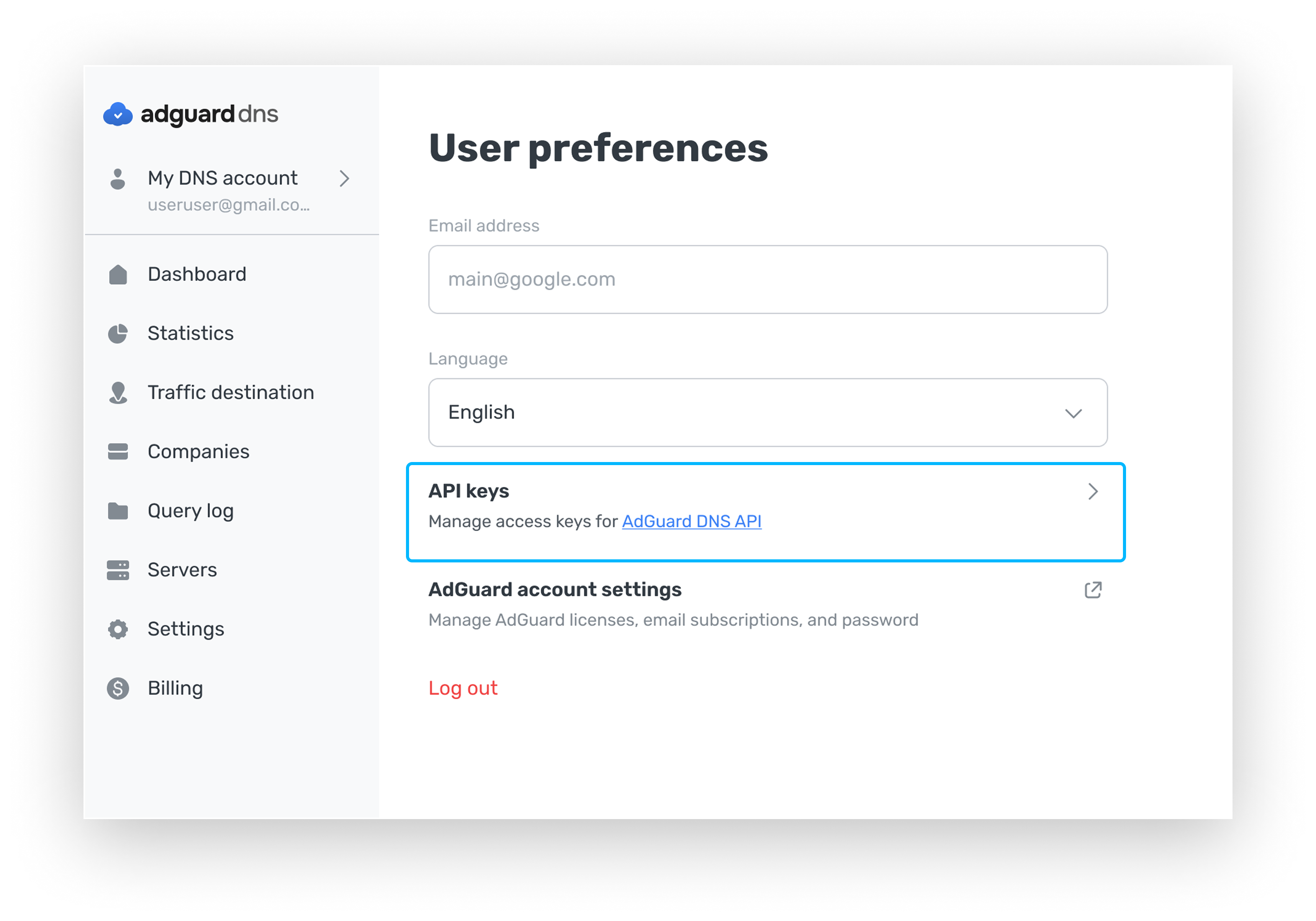
Previously, API access required a login and password, which was not ideal. Passwords can end up in logs or unauthorized hands, which puts your account at risk.
API keys solve this problem. They can be created for specific tasks, used only for API access, and revoked or replaced quickly if necessary. This new approach offers a more secure and manageable way to provide access to the API, and it simplifies integrations with external services.
Customizable block pages
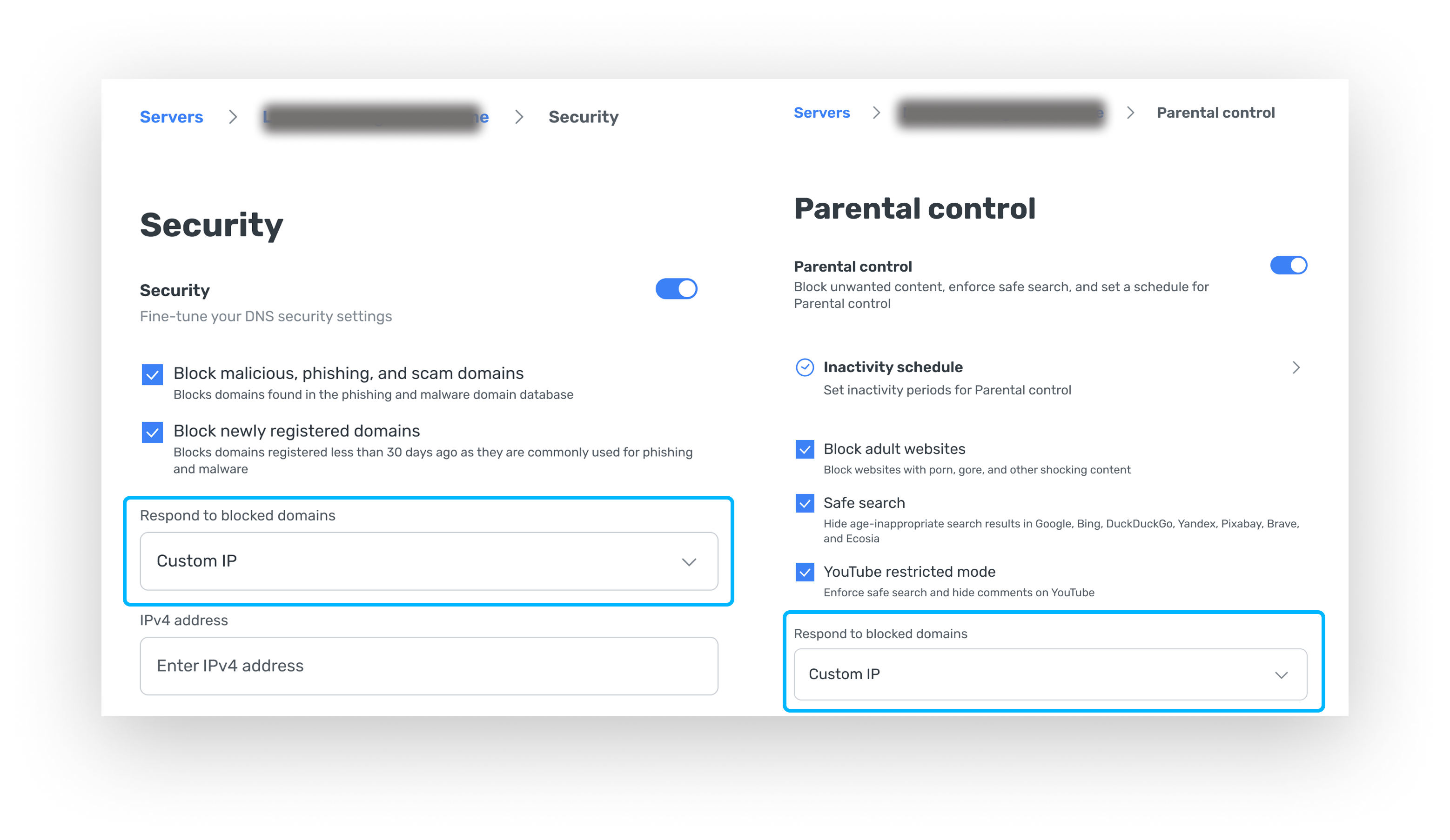
We’ve added the ability to show custom block pages for phishing sites or sites restricted by Parental control. Instead of the standard AdGuard DNS block page, you can now display your own custom page.
This is particularly useful for businesses, schools, or any organization using AdGuard DNS. If you need to brand the block page with your logo, contact details, or a custom message for users, this functionality allows you to do so.
To enable custom block pages, go to Parental control or Security settings, and under Respond to blocked domain, select Custom IP, and add the IP address of your custom page.
If you use AdGuard DNS for your business, share your thoughts with us. Should you have any ideas or suggestions for future features, tell us on GitHub.