AdGuard DNS v2.23: Better visibility, faster setup, finer control
AdGuard DNS v2.23 brings more transparency to filtering statistics and adds new advanced tools for managing DNS traffic. This release also makes CLI setup easier, especially for users who regularly connect new devices.
New Top categories blocked section
We’ve added a new Top categories blocked view to the Statistics section and AdGuard DNS API. This has been one of our most requested analytics features: users and partners can now see which categories of unwanted content — such as social networks, gambling, games, and adult sites — are blocked most often.
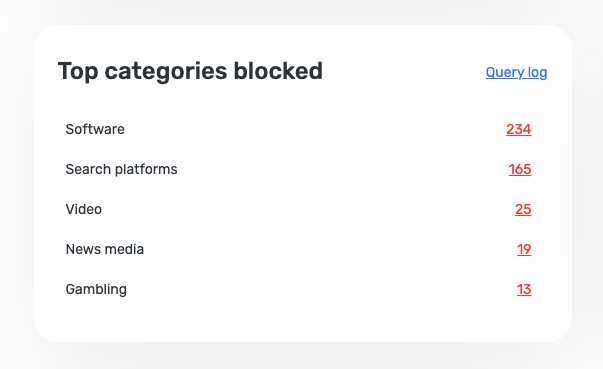
With this update, personal users get a clearer, more useful Statistics section that shows not just how many requests were blocked, but what kinds of unwanted or potentially harmful content were filtered out.
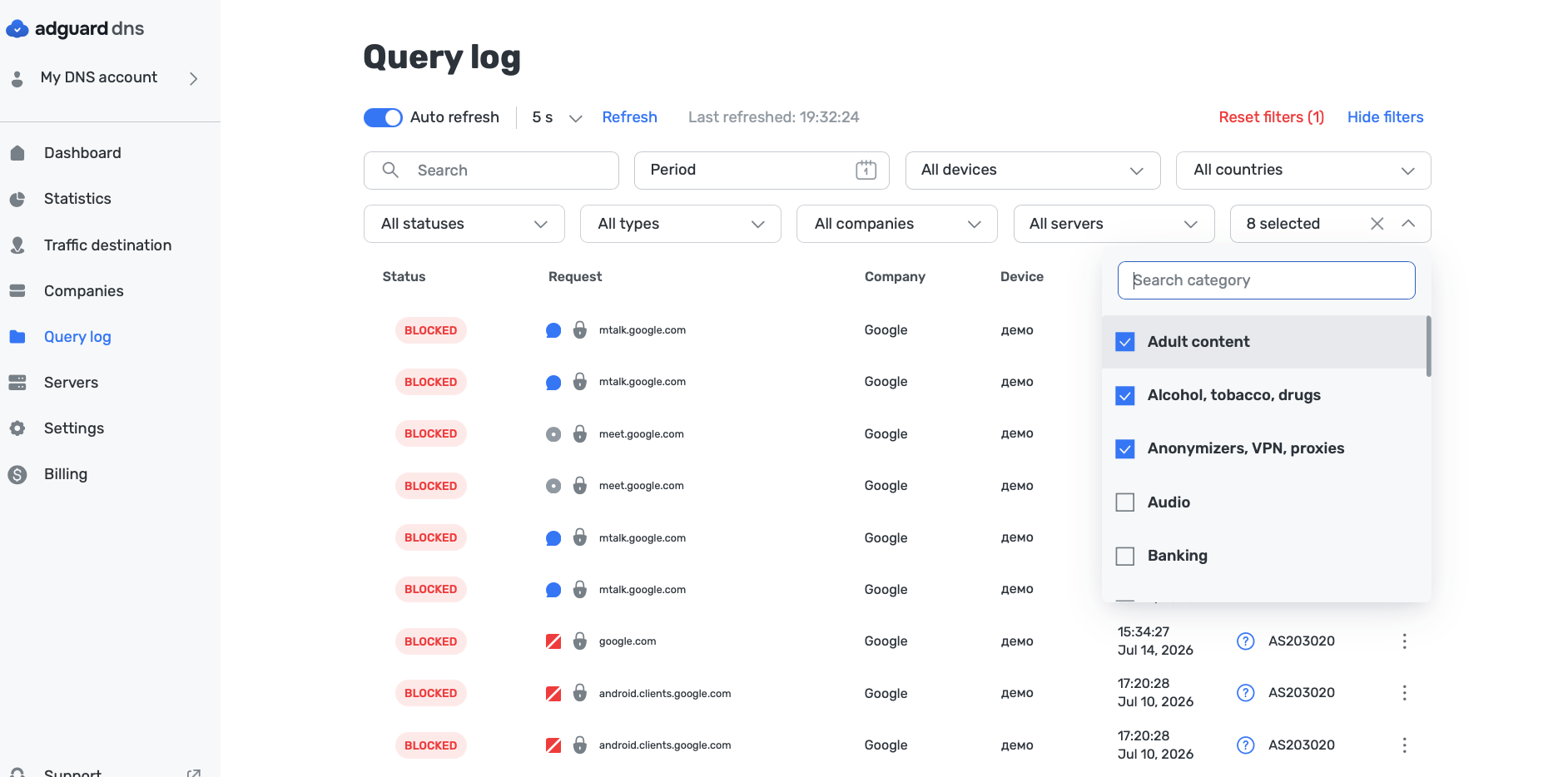
For corporate users and partners, this aggregated data makes it much easier to build custom reports, white-label dashboards, and advanced B2B analytics on top of AdGuard DNS.
Easier setup with AdGuard DNS CLI
We’ve simplified the process of connecting new devices via the AdGuard DNS CLI — a cross-platform lightweight DNS client for AdGuard DNS.
AdGuard DNS CLI helps connect devices to AdGuard DNS from the command line. It is especially useful for managing multiple devices, configuring DNS from scripts, or performing terminal-based setups instead of manual configuration on Dashboard.
Previously, the flow required an extra step: before connecting a device via CLI, you had to create that device on Dashboard first. In v2.23, the CLI can use an automatically created device, so the setup flow becomes faster and smoother.
To enable automatic device creation, configure the autodevice property for the relevant upstream group in your configuration file.
More flexible filtering by country and network
AdGuard DNS now gives users more control over DNS traffic with new rule options. You can create user rules to allow or block requests based on:
- The country determined by the IP address in the DNS response
- The ASN (Autonomous System Number) associated with that IP address
This is useful when you need to apply more precise filtering policies to domains connected with specific regions, networks, hosting providers, or infrastructure.
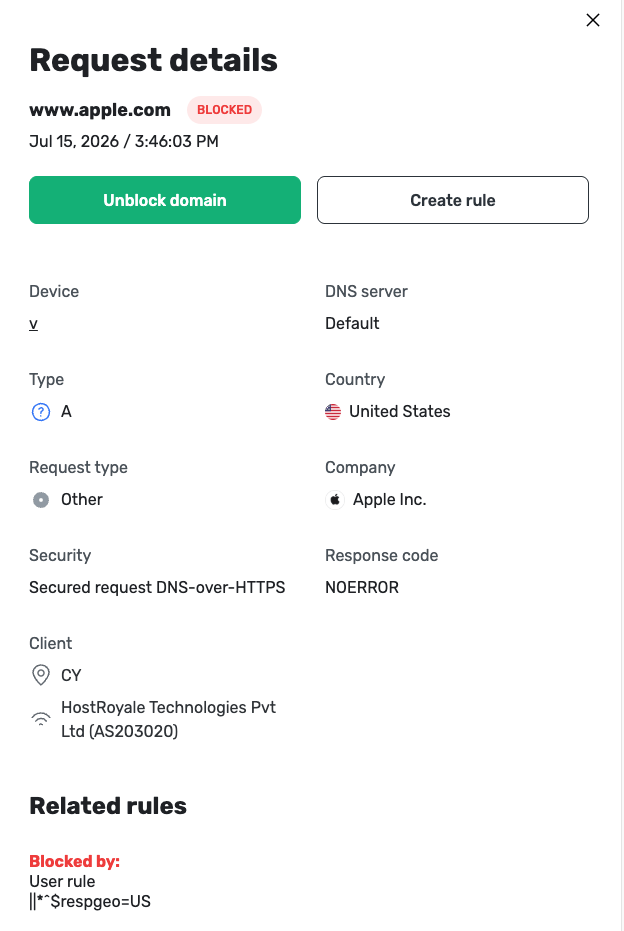
For instance, administrators can create rules for domains that resolve to IP addresses associated with a particular country or ASN. This makes custom DNS filtering more flexible for businesses, schools, and users who manage DNS policies manually.
This feature is implemented through User rules, so there’s no dedicated Dashboard UI. If a domain resolves to multiple IP addresses, AdGuard DNS uses the same resolved IP and country logic that is currently used in Query Log.
Your feedback matters
AdGuard DNS v2.23 brings clearer statistics, smoother setup, and more flexible filtering tools — and we’d love to know what you think. Your feedback helps us improve AdGuard DNS and decide what to focus on next.
Share your experience, suggestions, or bug reports on GitHub, or contact us through our social media channels.