AdGuard DNS mobile app v1.1: An easy setup across many devices
We’ve barely launched the mobile AdGuard DNS app, and it’s already time for an update! Starting with version 1.1, the app now supports Managed App Configuration on both Android and iOS — a valuable new feature for organizations that need to manage app behavior consistently across multiple devices.
New possibilities with Managed App Configuration support
Managed App Configuration is a solution that allows IT administrators to configure the app remotely, without requiring any manual setup from the end user. This means that companies, schools, and other organizations can deploy AdGuard DNS at scale with all settings pre-set, ensuring a consistent and secure rollout across thousands of devices at once.
Here’s what you can do with the new feature:
- Easy connection setup: Users still go through the initial connection creation step, but the Setup ID field is pre-filled and cannot be modified.
- Protected settings: Once a managed configuration is applied, the DNS settings are locked to ensure consistency and security.
- Flexible device naming: Administrators can assign device names ahead of time, or allow users to enter them manually.
More control for organizations
With centrally managed configuration, Team and Enterprise users can ensure that every device connected to their DNS server follows a standardized setup, reducing potential configuration mistakes and simplifying support. Policies such as controlled settings can be enforced automatically, and the app clearly indicates to users that it is managed by their organization.
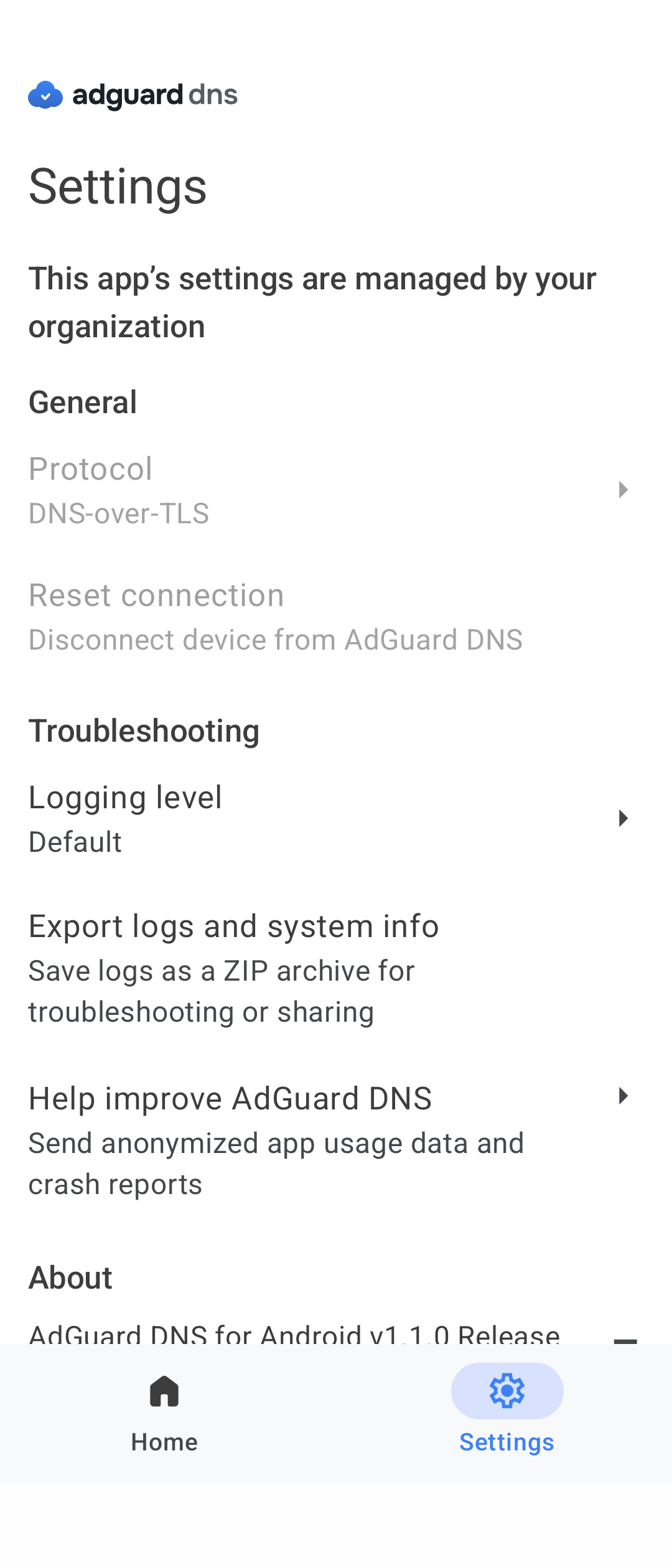
This centralized control makes deployment faster and more secure, giving companies peace of mind and a smoother experience for their employees.
We’re just getting started
This is the first of many updates, and we hope it brings real value. As we continue building the app, your feedback is especially important. Got ideas for improvements or fixes? Share them with us on GitHub or social media.