AdGuard DNS v2.21: Typosquatting protection and a better Query log
Ever mistyped a website address and only noticed it after the page loaded? Those small typos can sometimes lead to something far more harmful than a 404 page. With AdGuard DNS v2.21, we’re making sure that simple mistakes don’t turn into security risks by introducing automatic protection against typosquatting domains. We’ve also redesigned the Query log to make the work with your DNS statistics faster and easier.
Protection against typosquatting domains
Mistyping a website address happens to everyone. Maybe you type gooogle.com instead of google.com, or accidentally add or miss a letter. It may be a small mistake, but it’s a big opportunity for attackers: cybercriminals often register domains that look almost identical to popular websites and use them for phishing, malware distribution, or deceptive ads. This trick is known as typosquatting, and it’s a surprisingly common way to lure users to malicious sites.
AdGuard DNS now detects and blocks these suspicious look-alike domains automatically at the DNS level. The system analyzes patterns such as common typos, swapped characters, or missing and extra letters, and blocks the request before a connection is even established. This feature adds another layer of protection and helps prevent users from accidentally visiting malicious look-alike sites, reducing the risk of phishing, stolen accounts, and compromised payment data.
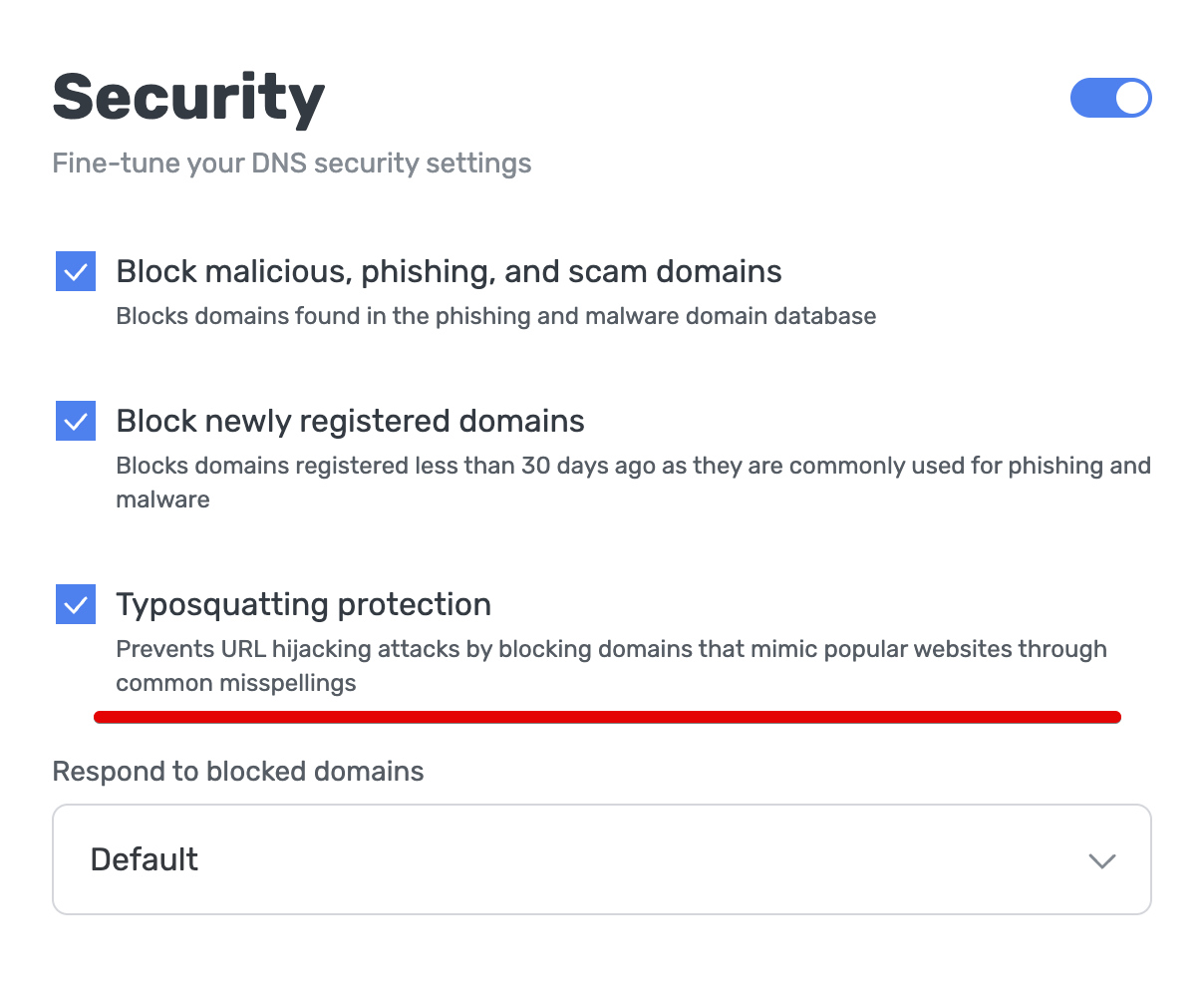
You can enable this protection at any time directly in your dashboard. Go to Servers, select the preferred server, click Security, and check the Typosquatting protection box. Because this feature relies on similarity detection, in rare cases legitimate domains that resemble popular websites may also be flagged. If that happens, you can always disable the feature in the same section or add domains to the allowlist in Servers ⭢ Server settings ⭢ User rules ⭢ Add new rule.
A redesigned Query log
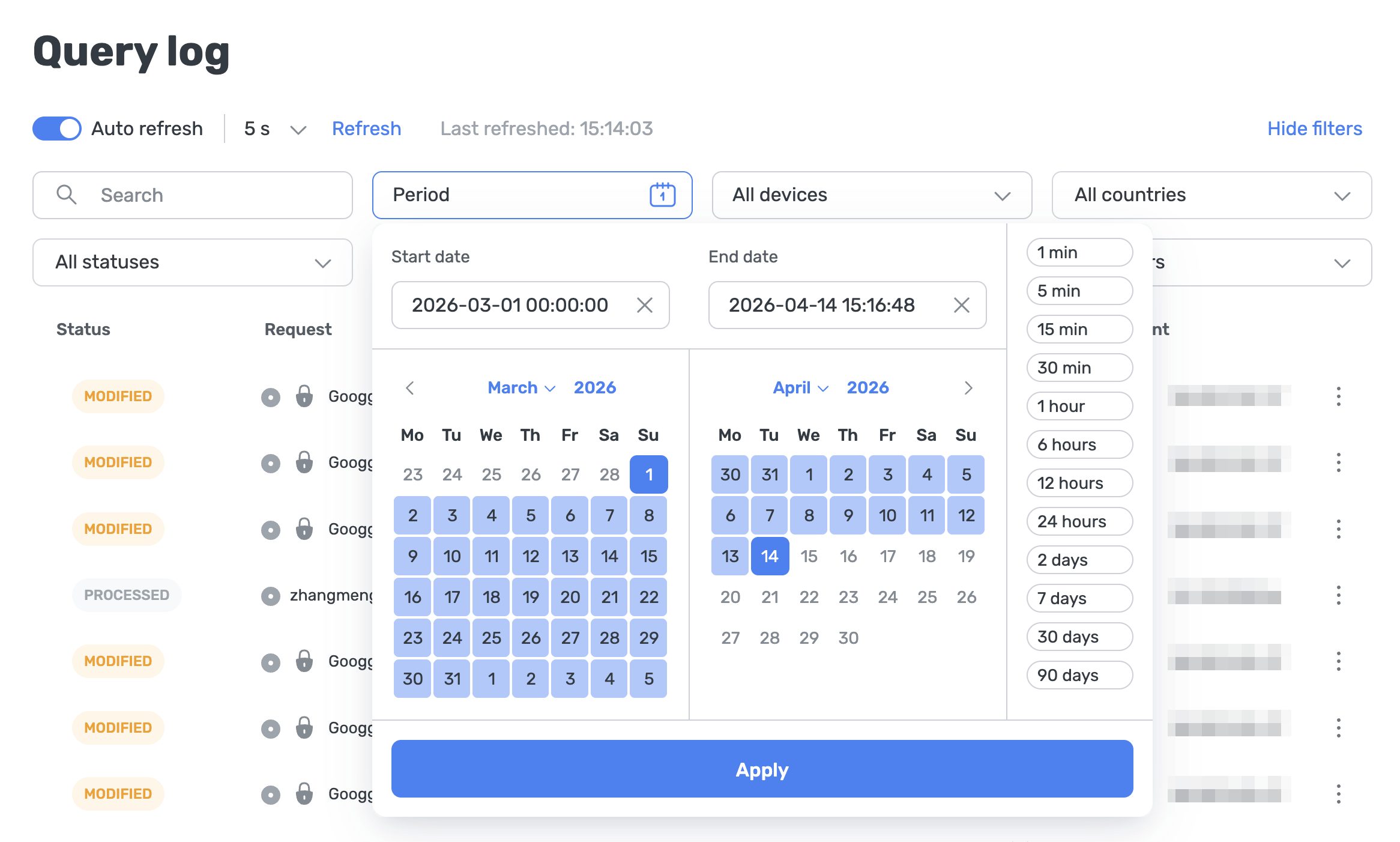
The Query log lets you see exactly which domains your devices are trying to access. It’s one of the most powerful tools in AdGuard DNS, but as logs grow larger, finding a specific request could sometimes feel like searching for a needle in a haystack.
In v2.21, we’ve redesigned the experience to make navigating large logs much easier. Here’s what’s new:
- Automatic loading: The old pagination system has been removed. Instead of switching between pages, the log now loads additional entries automatically as you scroll.
- Improved log refresh behavior: When browsing older entries, new events won’t shift your position in the log. The automatic refresh system has been redesigned and now you can customize the automatic refresh interval according to your needs.
- Precise time range filtering: Previously, users could only filter logs using preset ranges like last hour, last 24 hours, last month. Now you can select an exact start and end time, making it much easier to investigate specific incidents.
Your feedback is important
We’d love to hear what you think about the new features in AdGuard DNS v2.21. Share your thoughts on GitHub or drop by our discussions on social media. Your feedback helps us make AdGuard DNS even better.