AdGuard DNS v2.24: Multiple pauses in Parental control and new Enterprise features
This release is about fitting AdGuard DNS to the way you already do things. A Parental control schedule can now hold several pauses in the same day, so it can follow your whole routine instead of a single break. Enterprise clients can have query logs delivered automatically to their own storage. And partners can point a custom domain to an IP address assigned to their account alone, so the address their customers connect to is their own rather than a shared one.
Set several pauses per day in Parental control
Pause schedule (formerly Inactivity schedule) sets the hours when Parental control restrictions are paused.
Until now, you could add only one interval per day. That’s enough for a single break, but not for an everyday routine. A child might need free access for an hour before school and another hour in the evening. An adult who uses Parental control to stay focused during the day might want a short break in the morning and a longer one at lunch. Either way, you had to pick one and give up the other.
In v2.24, you can add five intervals to the same day, so you no longer have to choose one or switch Parental control on and off by hand. Open Servers → choose the server → Parental control → Pause schedule.
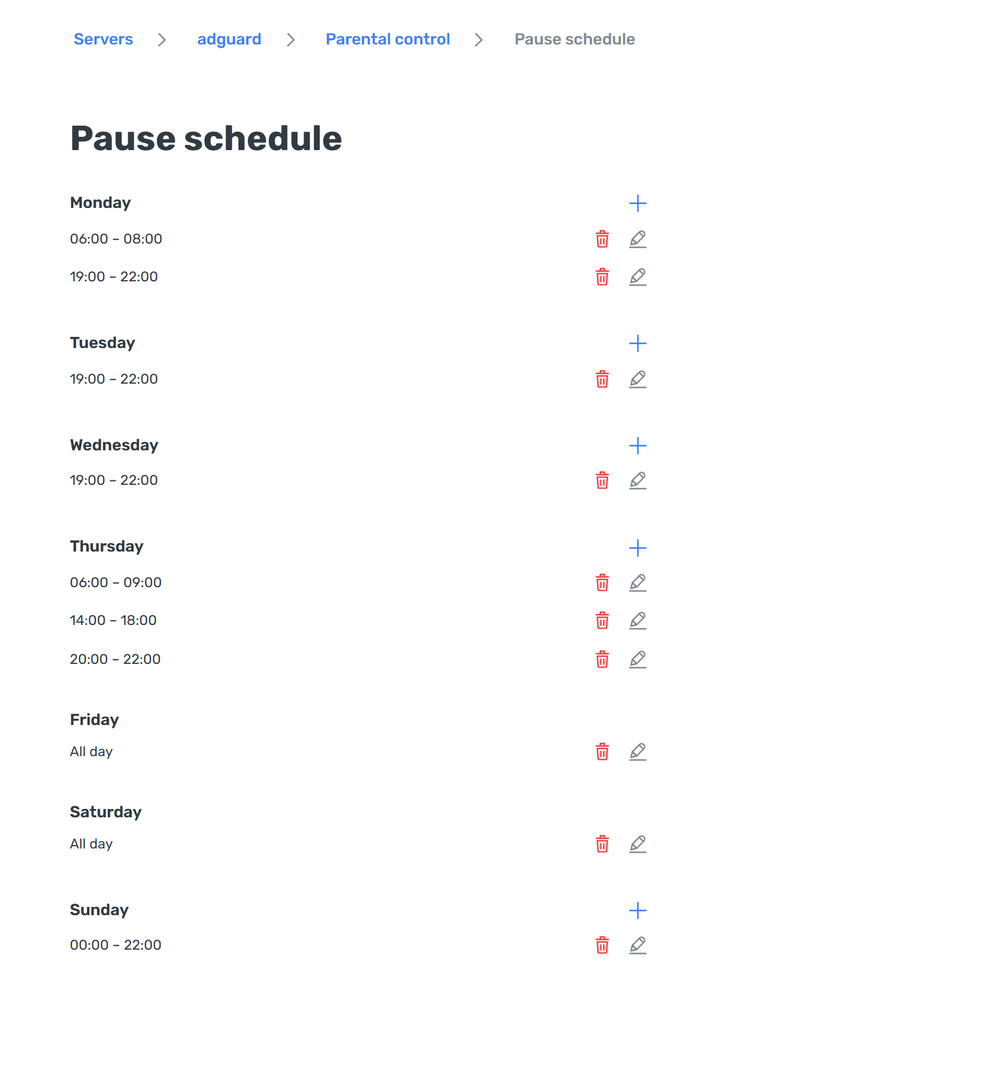
You can add, edit, and remove each interval separately. An interval can also run past midnight: set a pause from 22:00 to 07:00 on Monday, and the dashboard shows two intervals — Monday 22:00–00:00 and Tuesday 00:00–07:00.
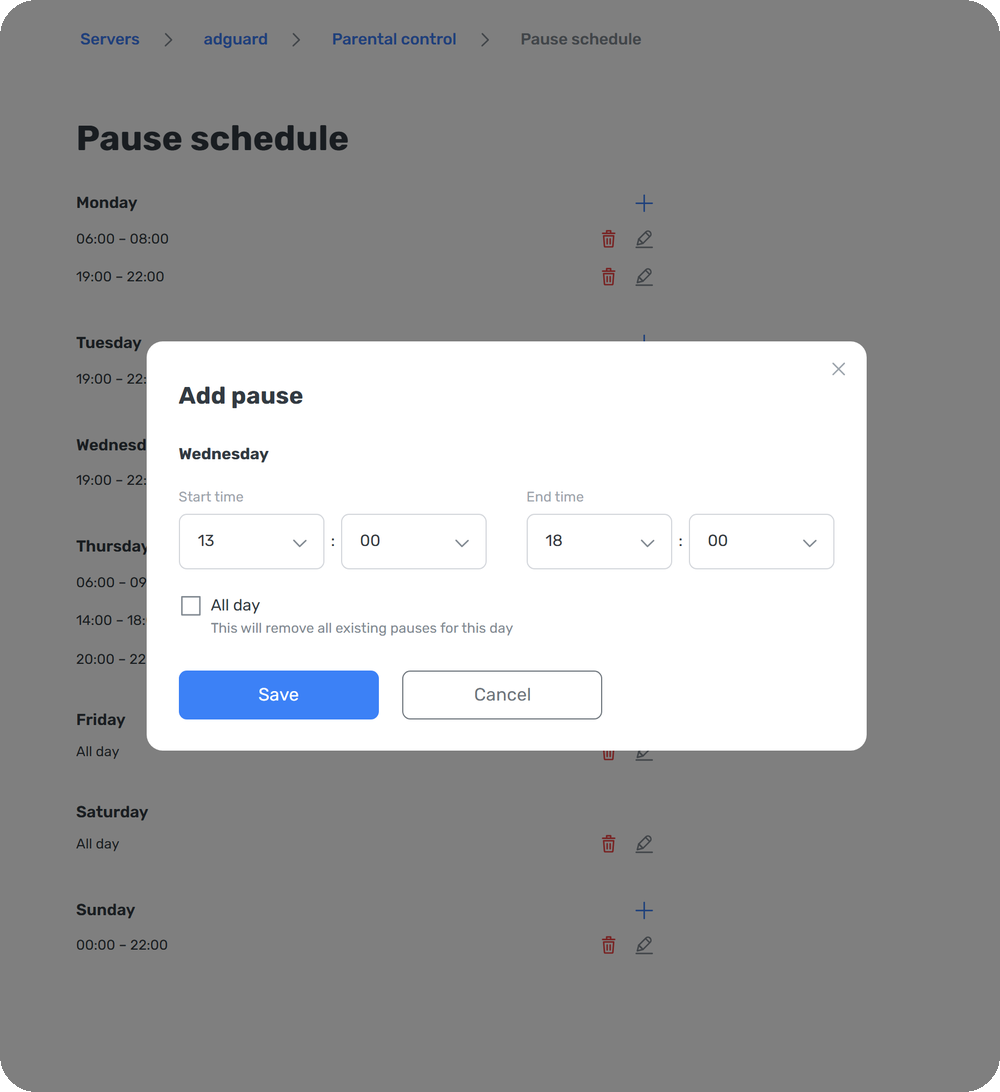
Existing schedules keep working as before: your current interval stays where it is, and you can add more to the same day.
Stream query logs to your own storage
Enterprise clients can now export raw DNS query events to their own S3-compatible storage: Amazon S3, Cloudflare R2, Backblaze B2, Wasabi, MinIO, or any other S3-compatible provider. Once the events are in the bucket, you can:
- Feed them into your SIEM, data lake, or analytics pipeline with the tooling you already use
- Investigate incidents with DNS activity next to the rest of your security telemetry
- Keep the data for as long as your retention policy requires
Files arrive as compressed JSON. Each event includes the requested domain, query type, filtering action, matched rule, response code, client country, and timestamp. Your privacy settings apply here as well: if client IP logging is off, that field is omitted.
Files are delivered in periodic batches rather than in real time. Historical logs aren’t backfilled, so streaming covers only events generated after you switch it on.
Query log streaming is currently in beta. To enable it, contact your account manager or our support team. Have your bucket and write credentials ready — we’ll need them to set it up.
Run your endpoint on your own IP address
Custom domains already let partners run a DNS service under their own brand. In v2.24, that service can run on an IP address of your own as well. On the Enterprise plan, you can get an Account IP: an address that isn’t shared with any other AdGuard DNS client.
To get an Account IP, contact your account manager or our support team. Once it’s assigned, a White-label endpoint block appears in Settings → Custom domains. Point your domain to the Account IP with an A record, then upload a TLS certificate for that domain. The endpoint supports DoH, DoT, and DoQ, so your customers get the same encrypted protocols they would on a standard AdGuard DNS address.
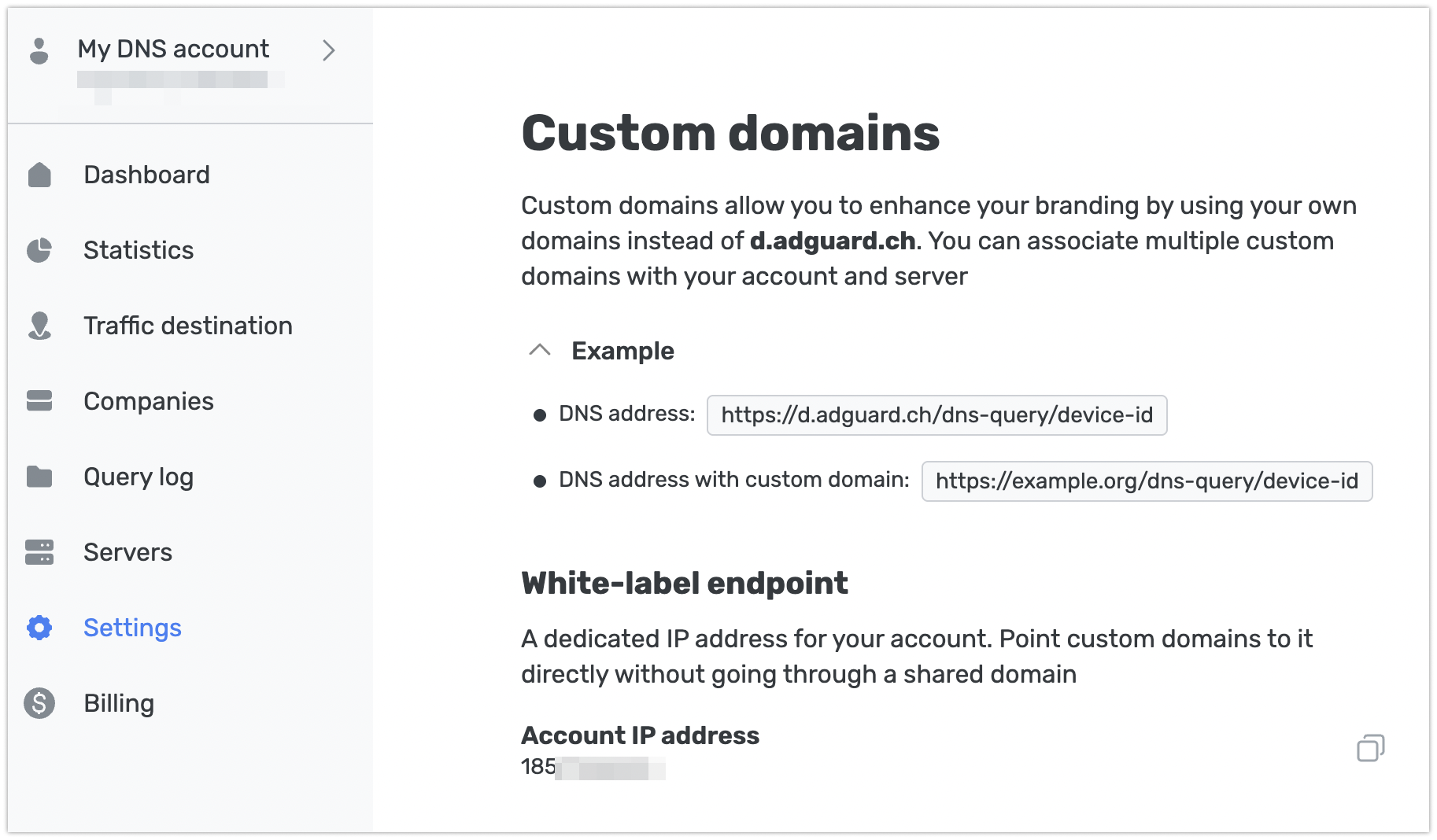
A few limits to know about:
- Existing custom domains keep working, but they aren’t moved to the Account IP automatically. To switch one over, remove it and add it again with the new record and certificate. The domain won’t work in between, so plan the switch for a quiet time.
- You upload and renew the TLS certificate yourself. We’ll email you before it expires, but if it lapses, the endpoint stops accepting connections until you upload a new one.
- Each account can have one Account IP.
- If the account leaves the Enterprise plan, the Account IP stays assigned but becomes inactive: custom domains stop working on it, and new ones can’t be pointed to it. Custom domains themselves stay available on plans that include them.
Your feedback matters
If something works differently than you expected, or doesn’t do the one thing you needed, we want to hear about it. Share your experience, suggestions, or bug reports on GitHub, or reach us through our social media channels.