How to remove a DNS profile
If you need to disconnect your iPhone, iPad, or Mac with a configured DNS profile from your DNS server, you need to remove that DNS profile. Here’s how to do it.
On your Mac:
-
Open System Settings.
-
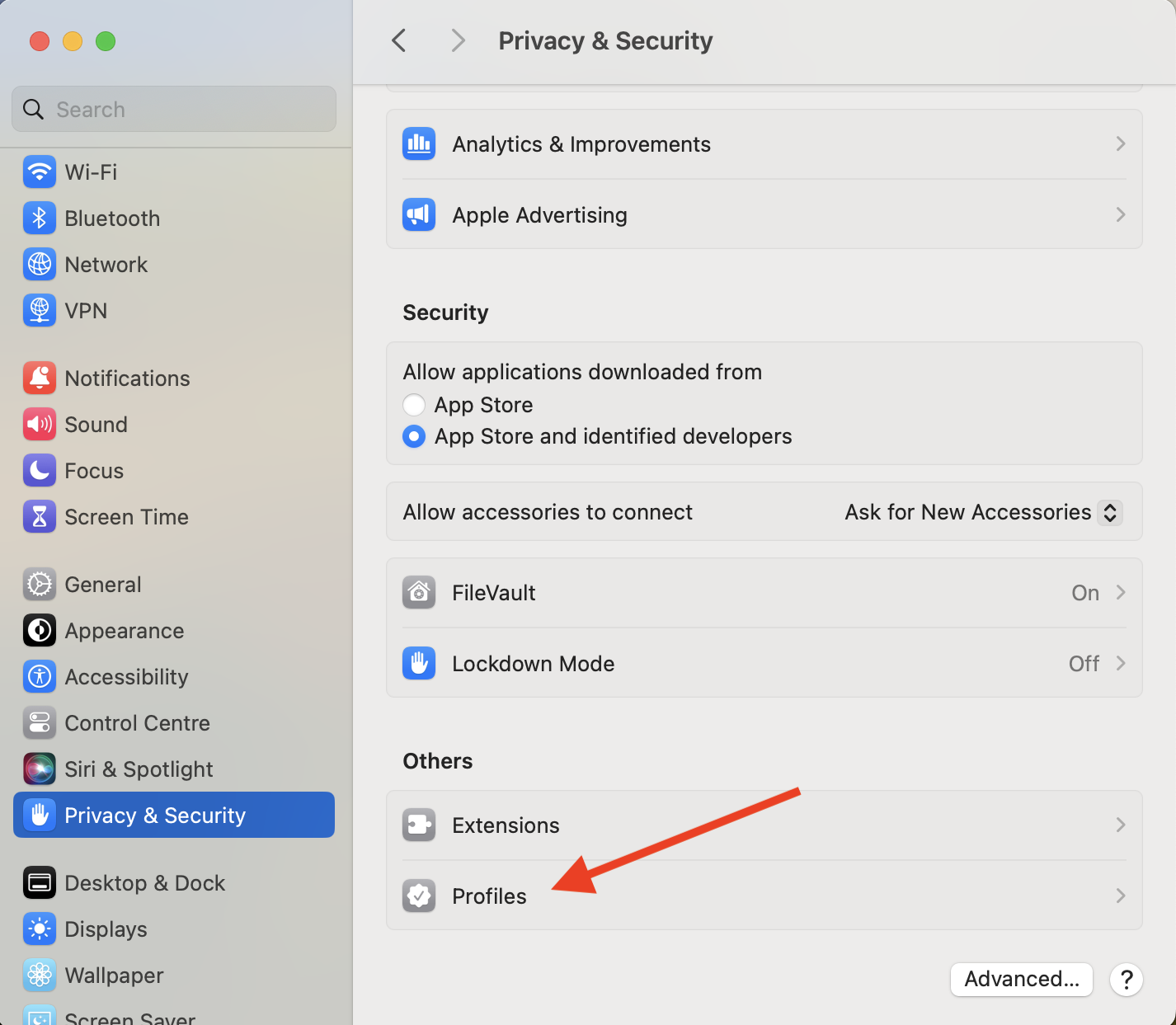
Click Privacy & Security.
-
Scroll down to Profiles.
-
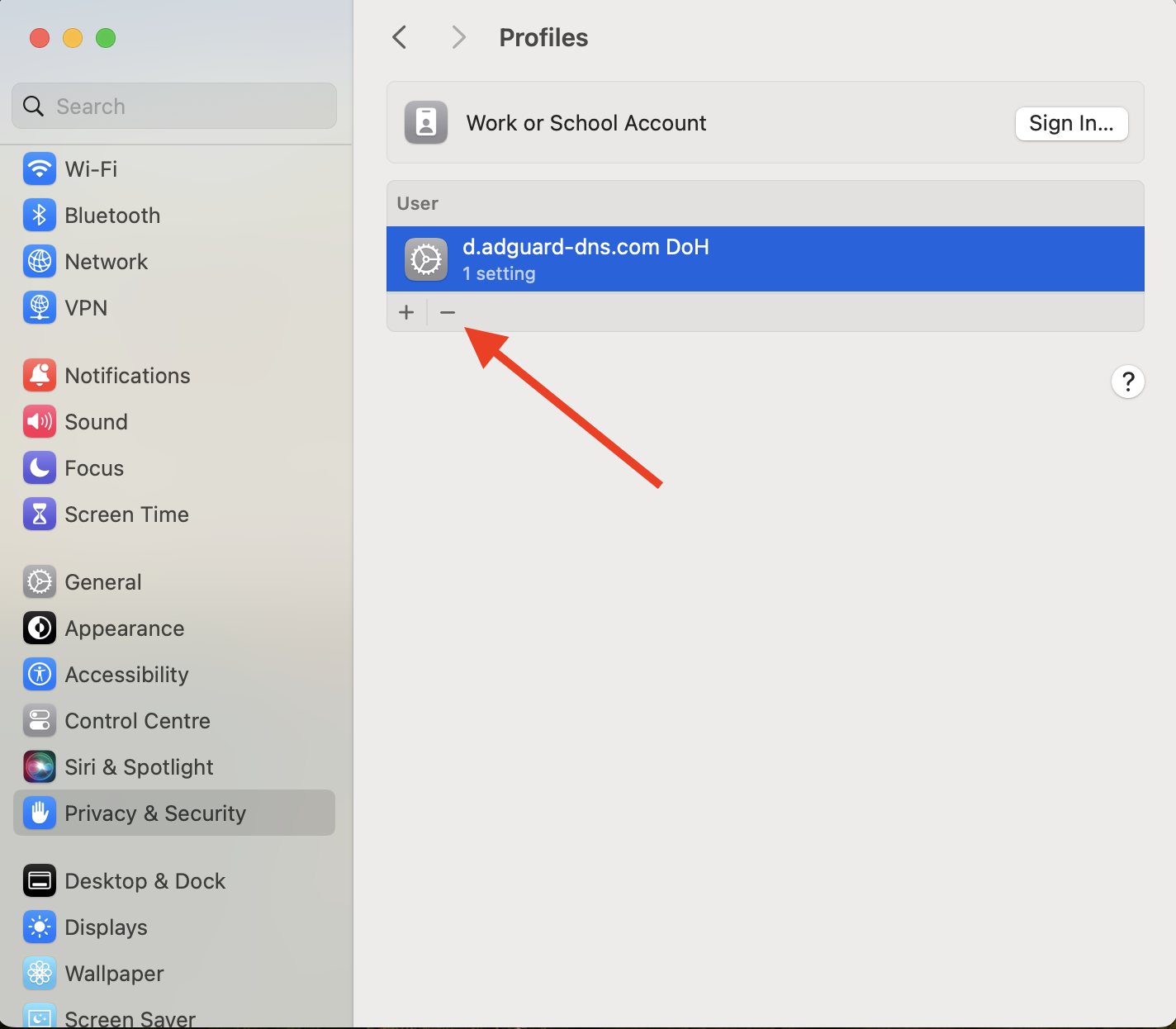
Select a profile and click
–.
-
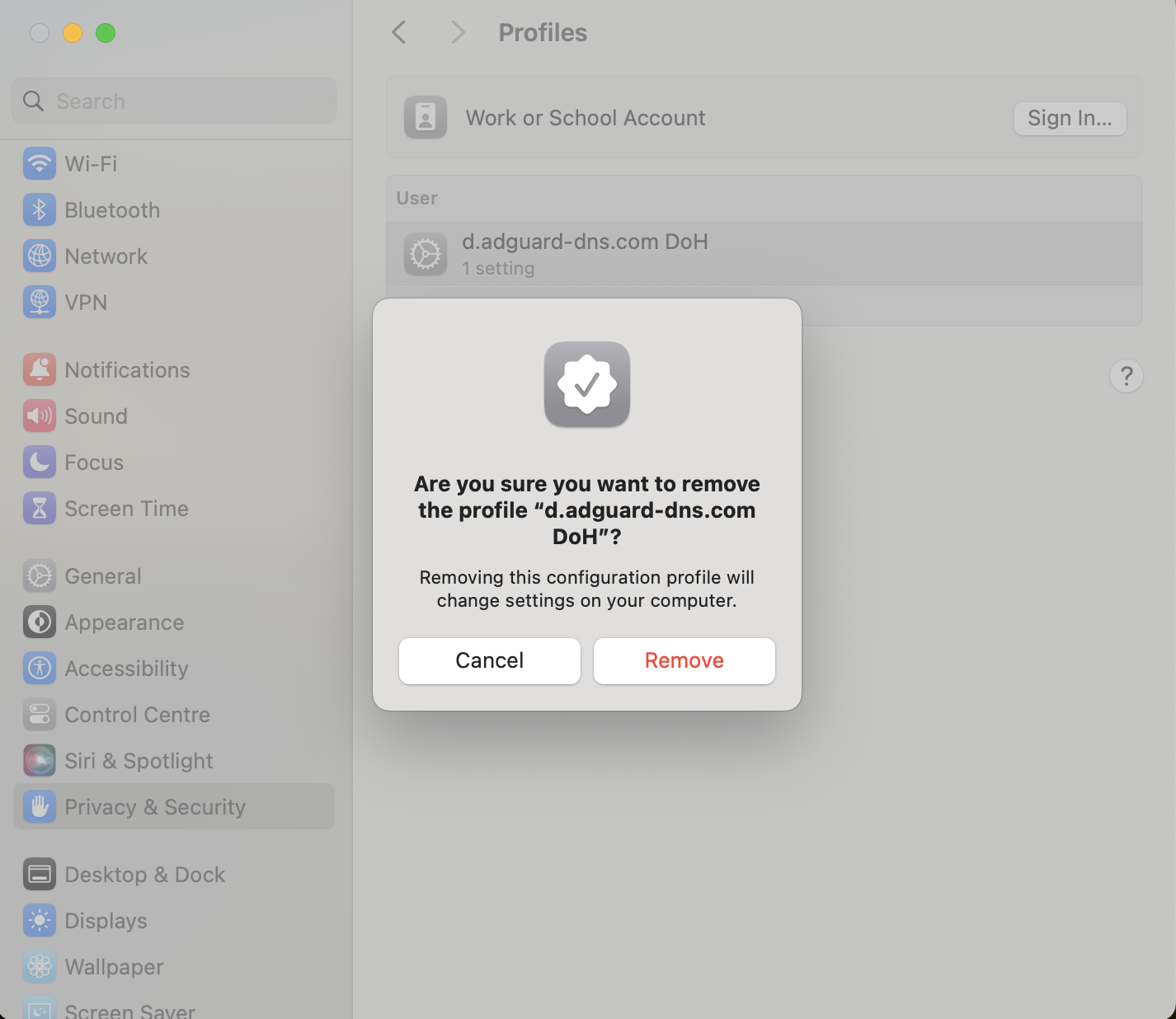
Confirm the removal.
On your iOS device:
-
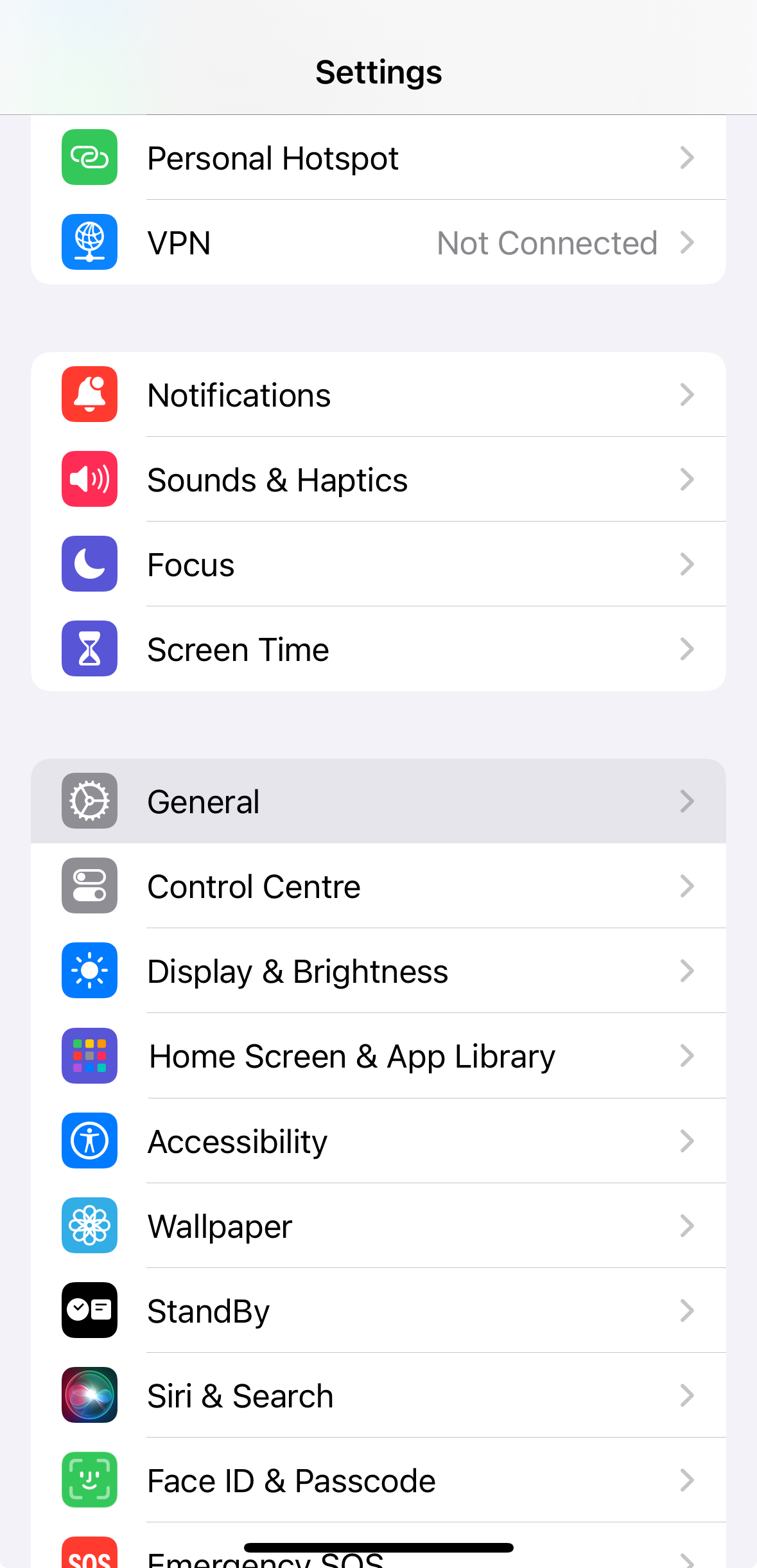
Open Settings.
-
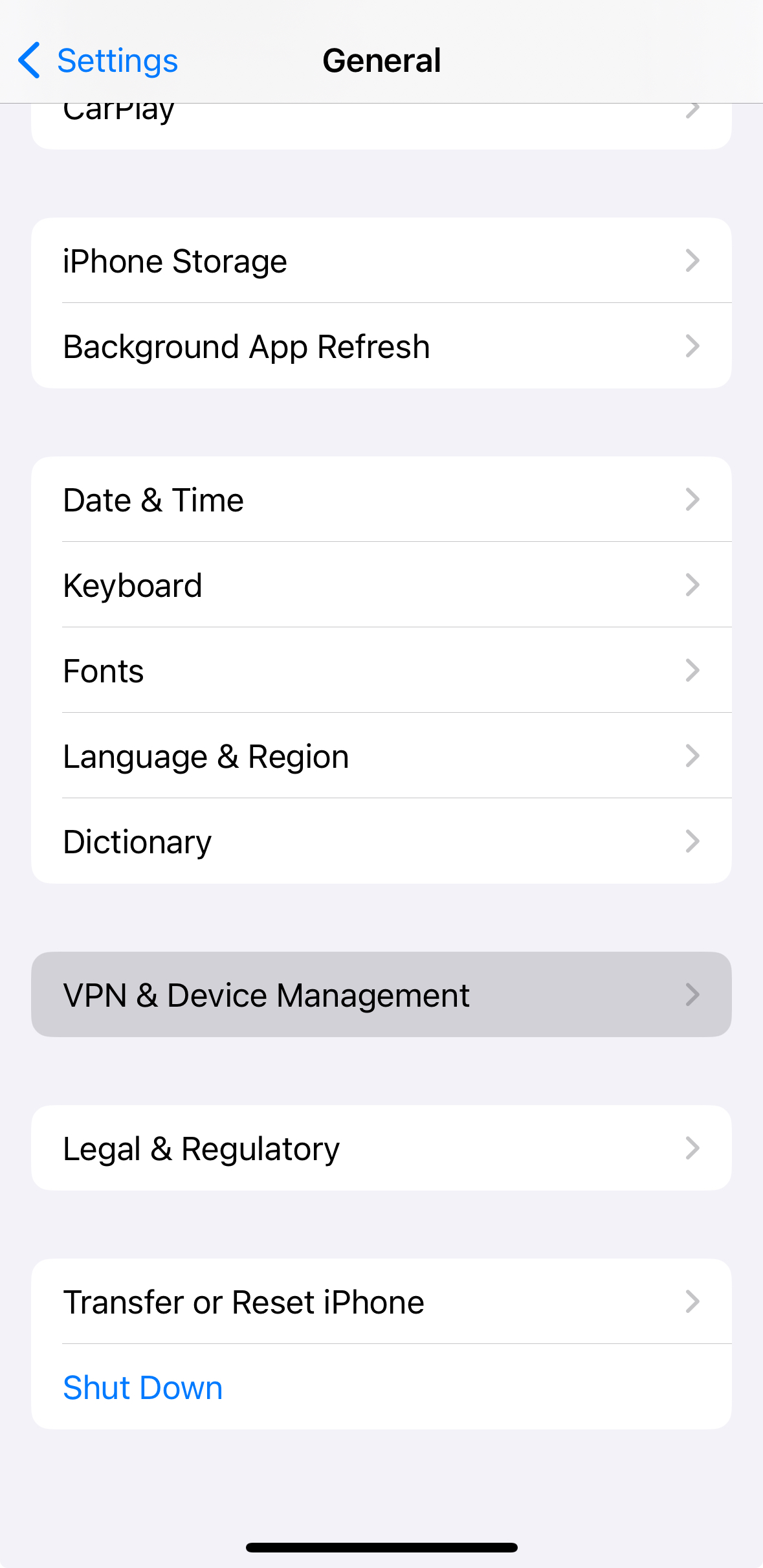
Select General.
-
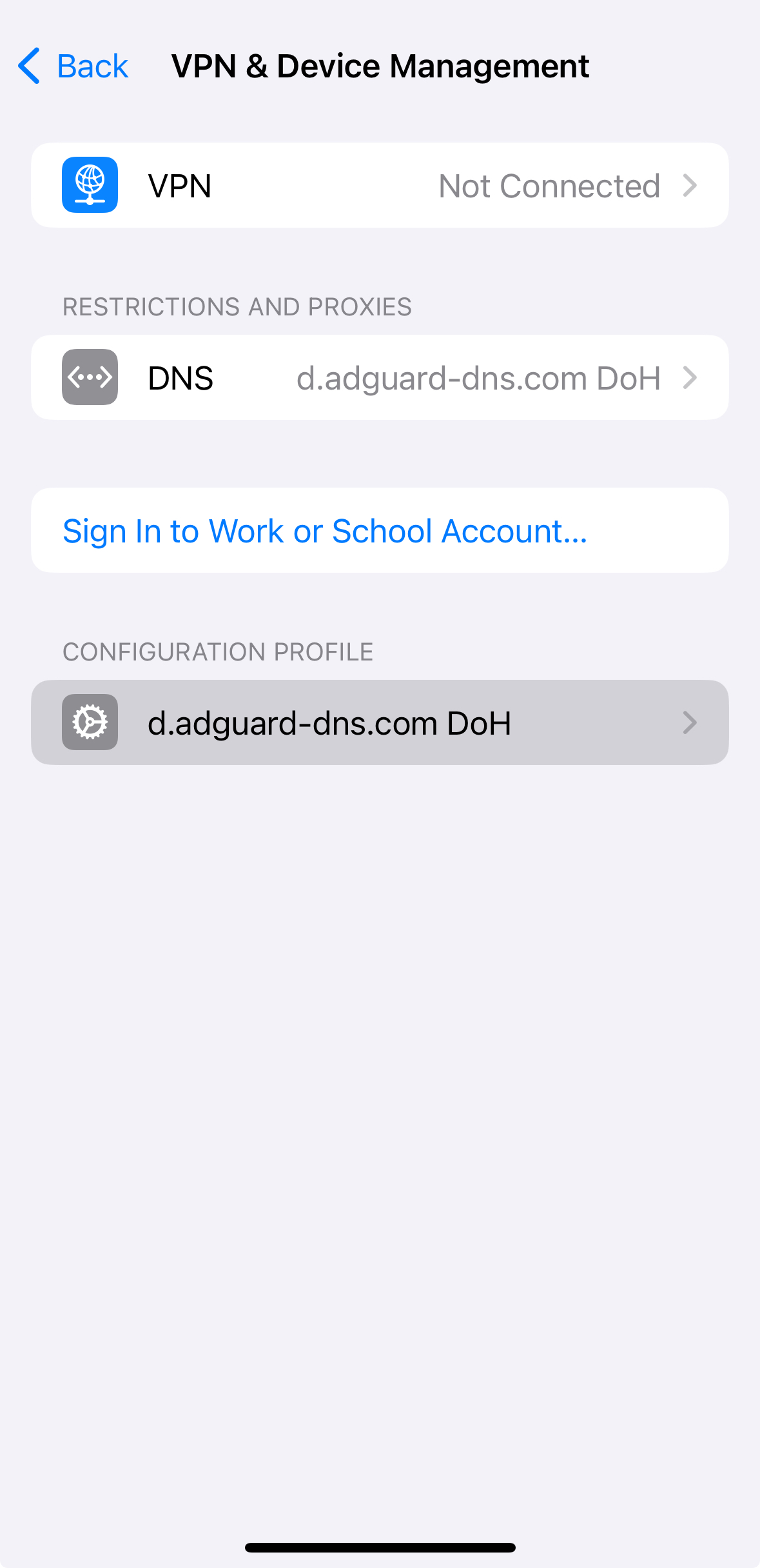
Scroll down to VPN & Device Management.
-
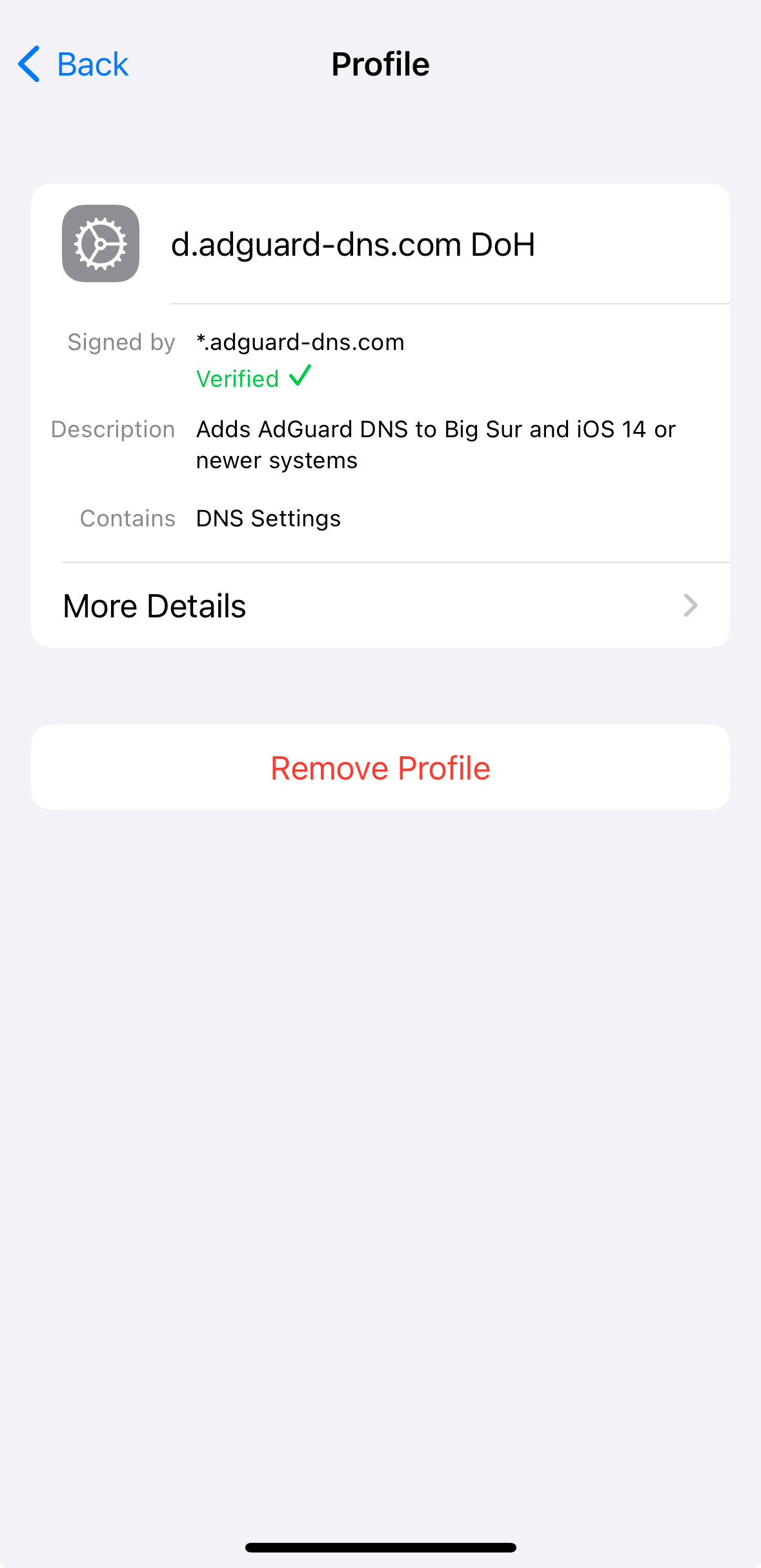
Select the desired profile and tap Remove Profile.
-
Enter your device password to confirm the removal.