Windows
To connect a Windows device to AdGuard DNS, first add it to Dashboard:
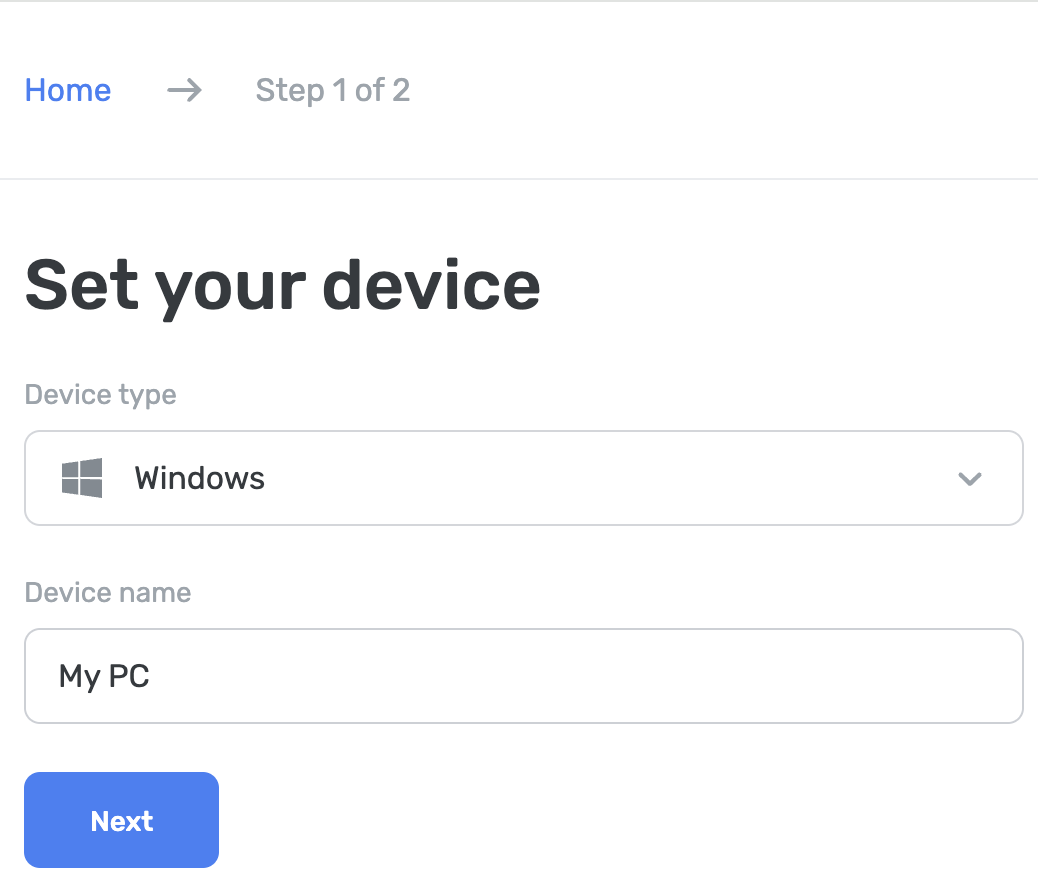
- 进入「仪表盘」并点击「连接新设备」。
- 在下拉菜单「设备类型」中,选择 Windows。
- 命名设备。
You can set it up via AdGuard or AdGuard VPN apps, in Windows settings, or using the AdGuard DNS Client.
使用 AdGuard 广告拦截程序(付费)
The AdGuard app lets you use encrypted DNS, making it perfect for setting up AdGuard DNS on your Windows device. 您可以选择多种加密协议。 除了 DNS 过滤,还可以获得一款出色的广告拦截程序。它在整个系统上屏蔽广告。
- Install the app on the device you want to connect to AdGuard DNS.
- 打开应用程序。
- Click Settings at the top of the app’s home screen.
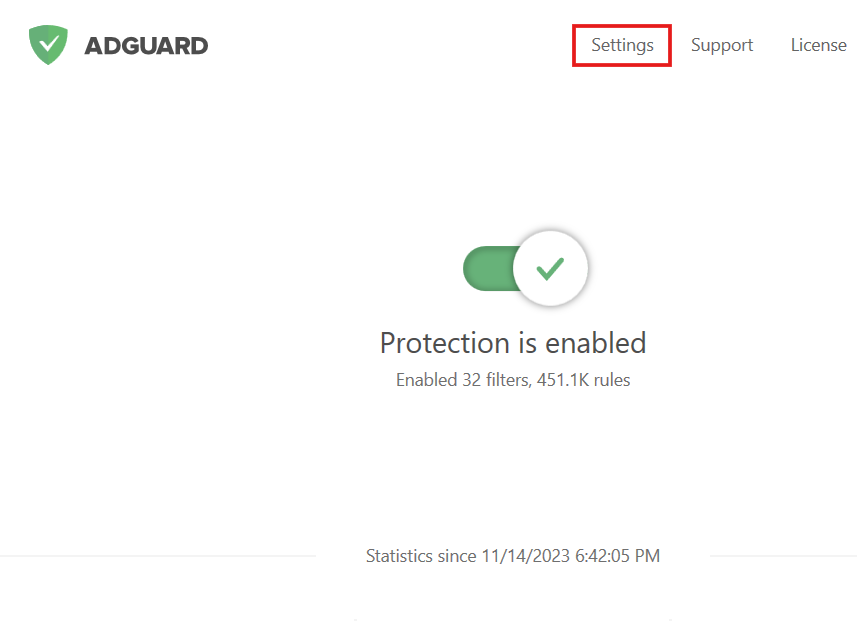
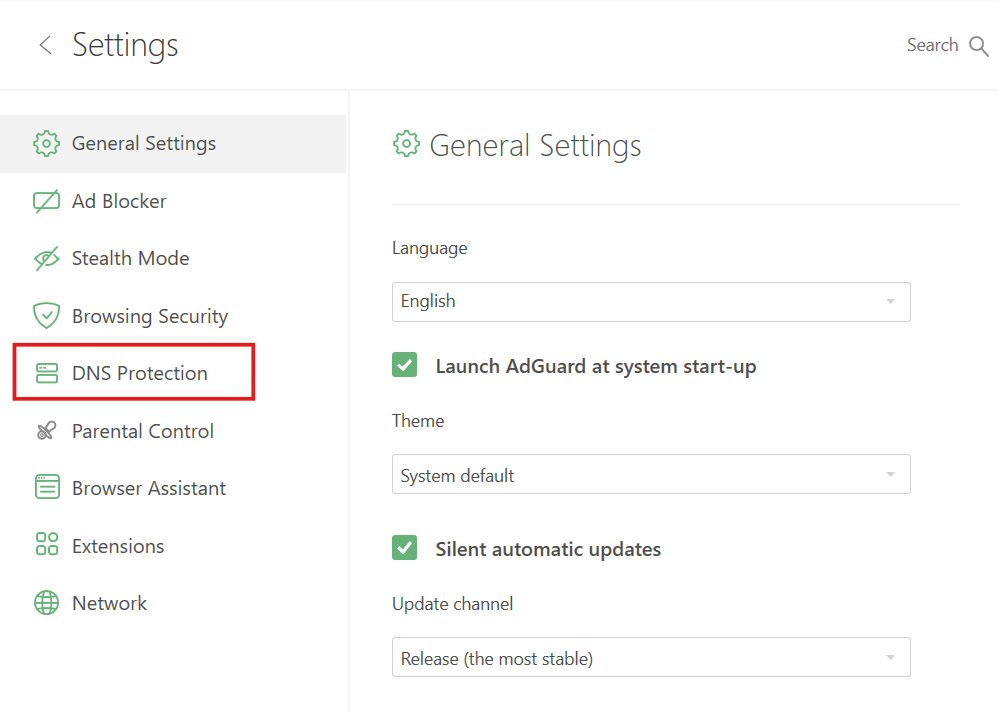
- Select the DNS Protection tab from the menu on the left.
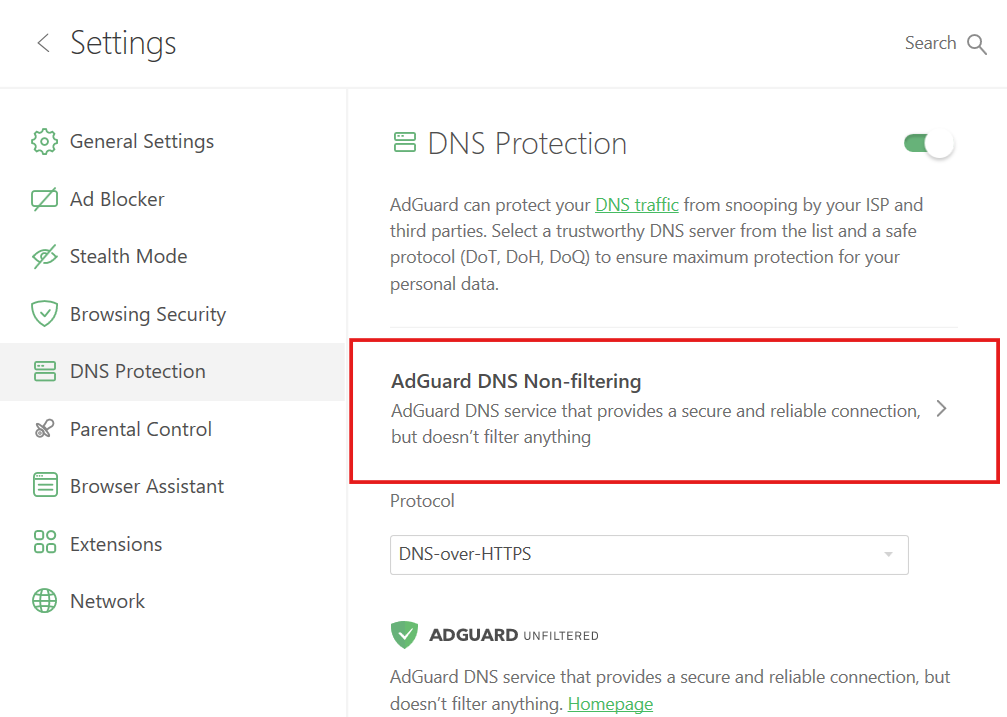
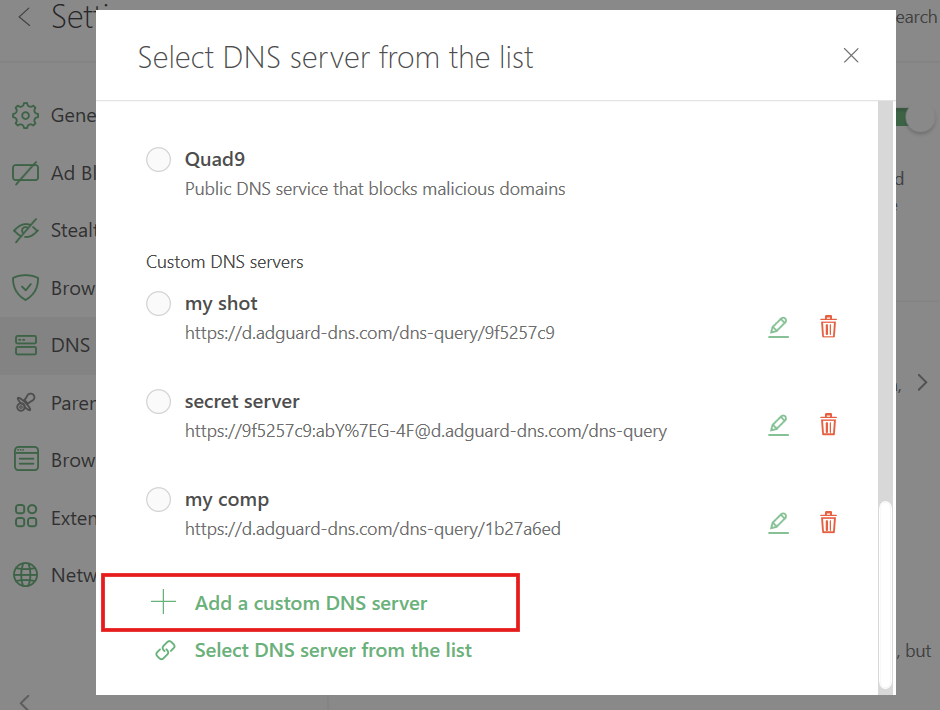
- Click your currently selected DNS server.
- Scroll down and click Add a custom DNS server.
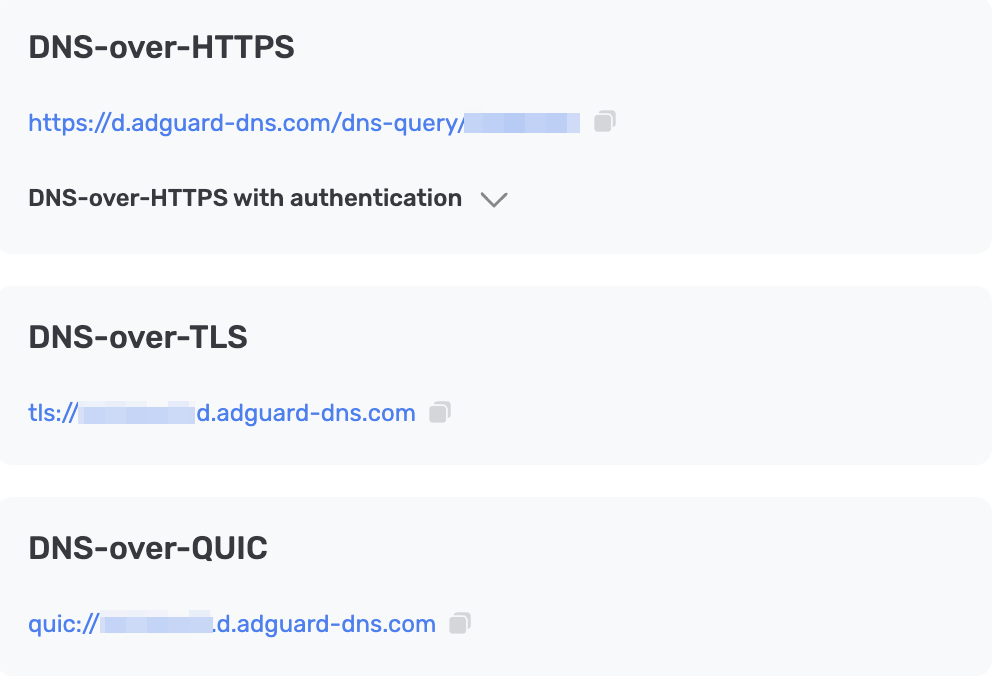
- In the DNS upstreams field, paste one of the following addresses. If you’re not sure which one to prefer, choose DNS-over-HTTPS.
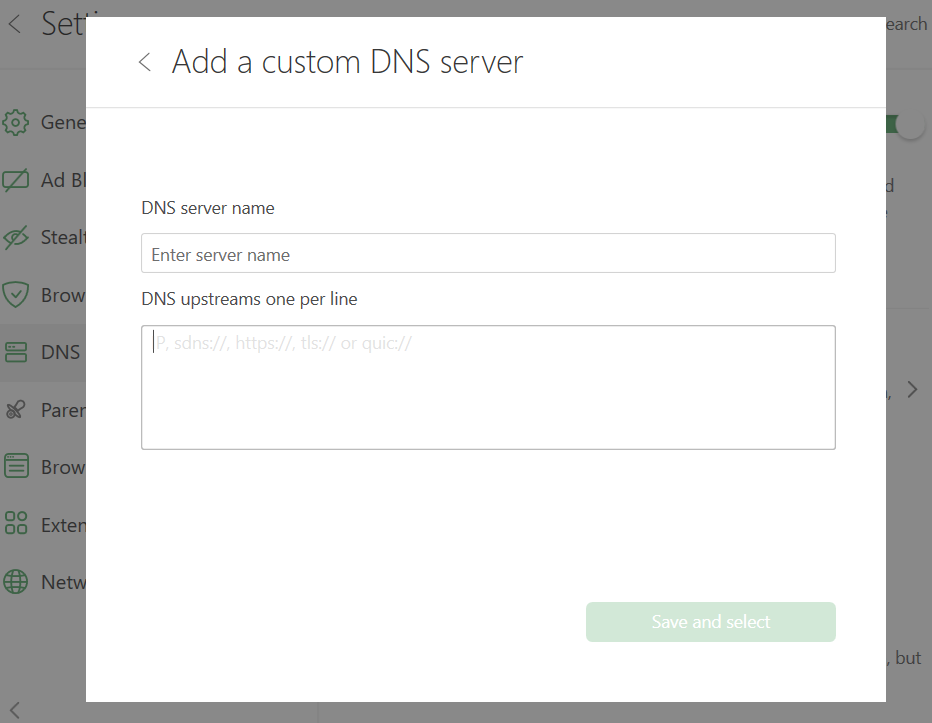
- 点击「保存并选择」。
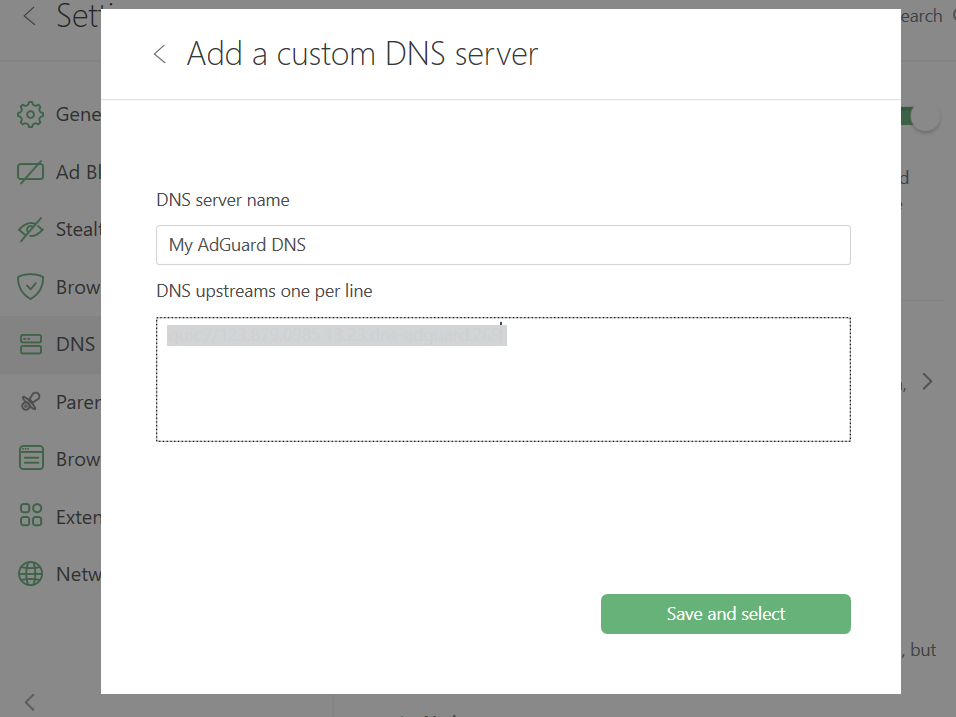
- 您所添加的 DNS 服务器将显示在「自定义 DNS 服务器」列表的底部。
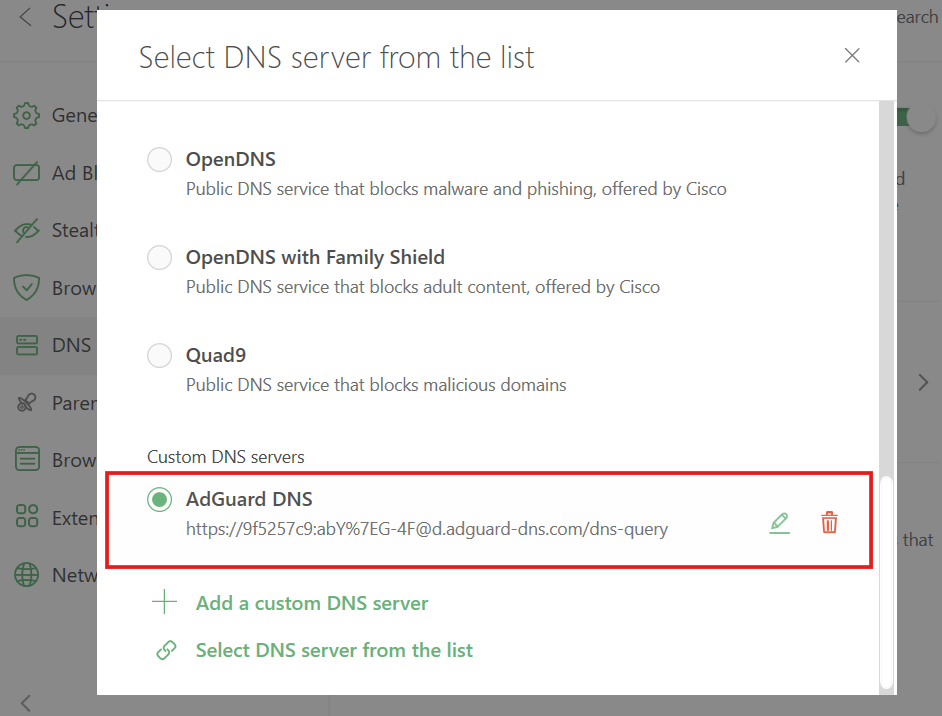
完成! 您的设备已成功连接到 AdGuard DNS。
使用 AdGuard VPN
并不是所有的 VPN 都支持加密 DNS。 然而,我们的 VPN 支持加密 DNS,因此,如果要同时使用 VPN 和私人 DNS,AdGuard VPN 是您的理想选择。
- Install AdGuard VPN.
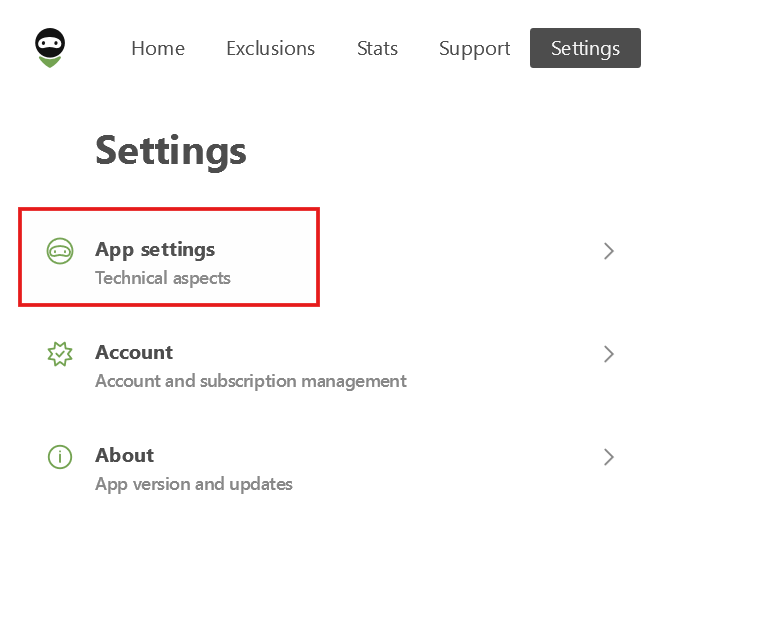
- Open the app and click Settings.
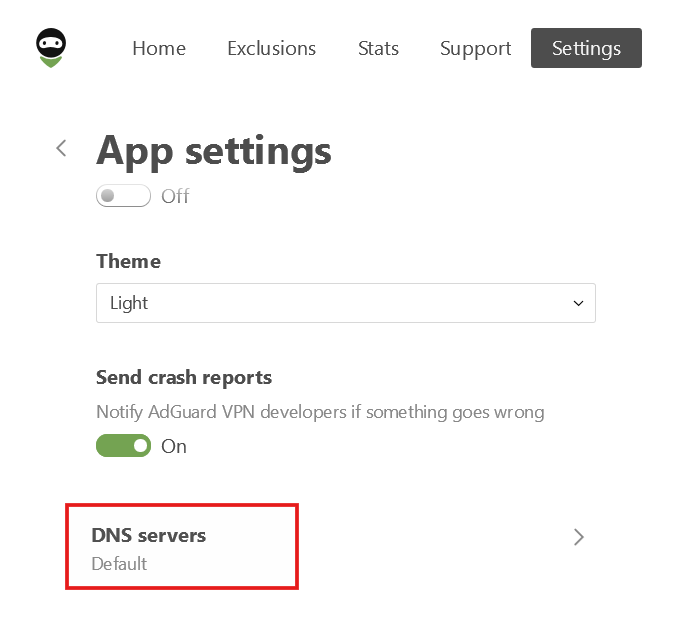
- Select App settings.
- Scroll down and select DNS servers.
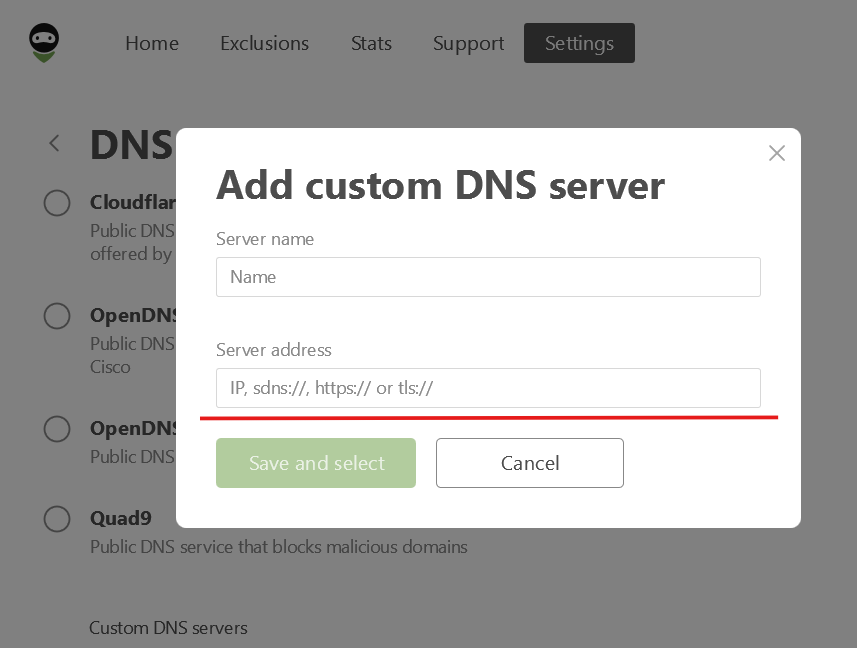
- Click Add custom DNS server.
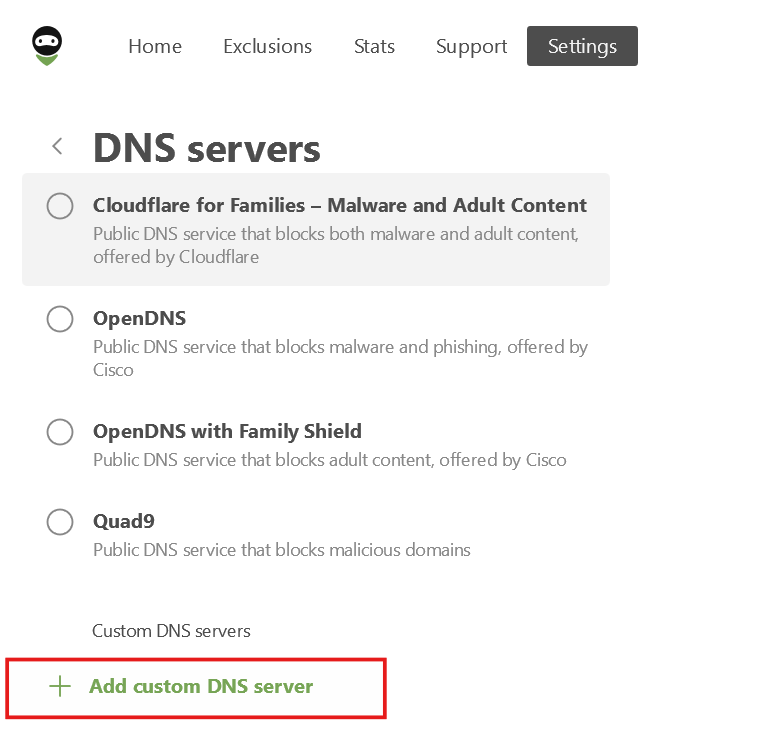
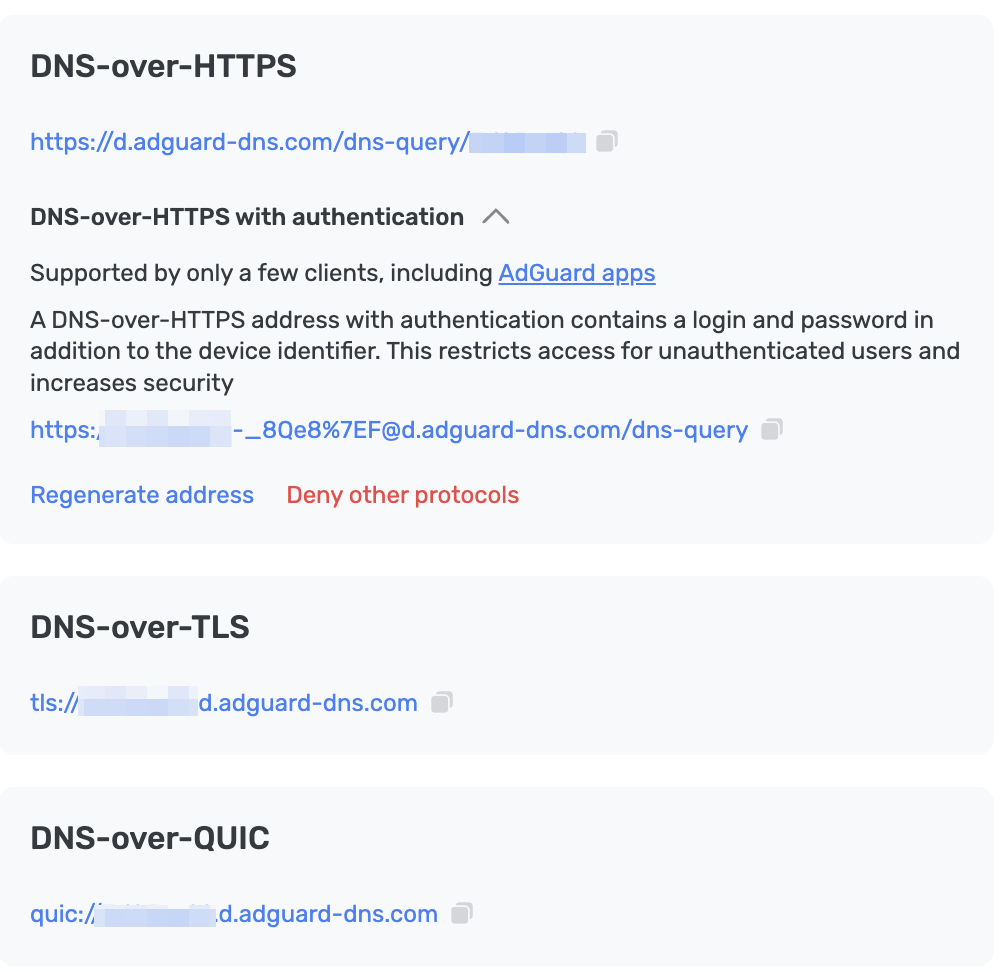
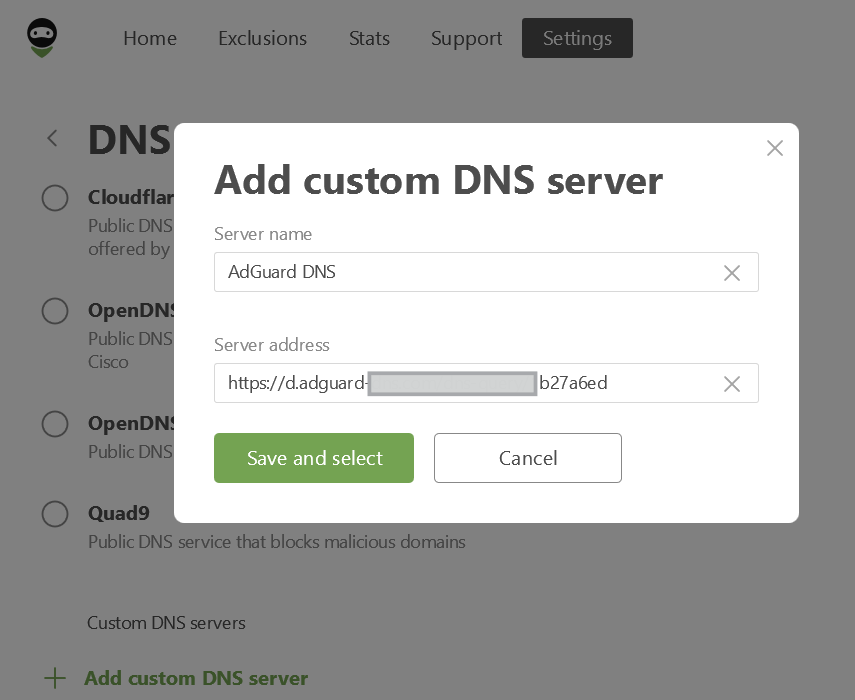
- In the Server address field, paste one of the following addresses. If you’re not sure which one to prefer, select DNS-over-HTTPS.
- 点击「保存并选择」。
完成! 您的设备已成功连接到 AdGuard DNS。
Configure via Windows settings
note
Available only on Windows 11.
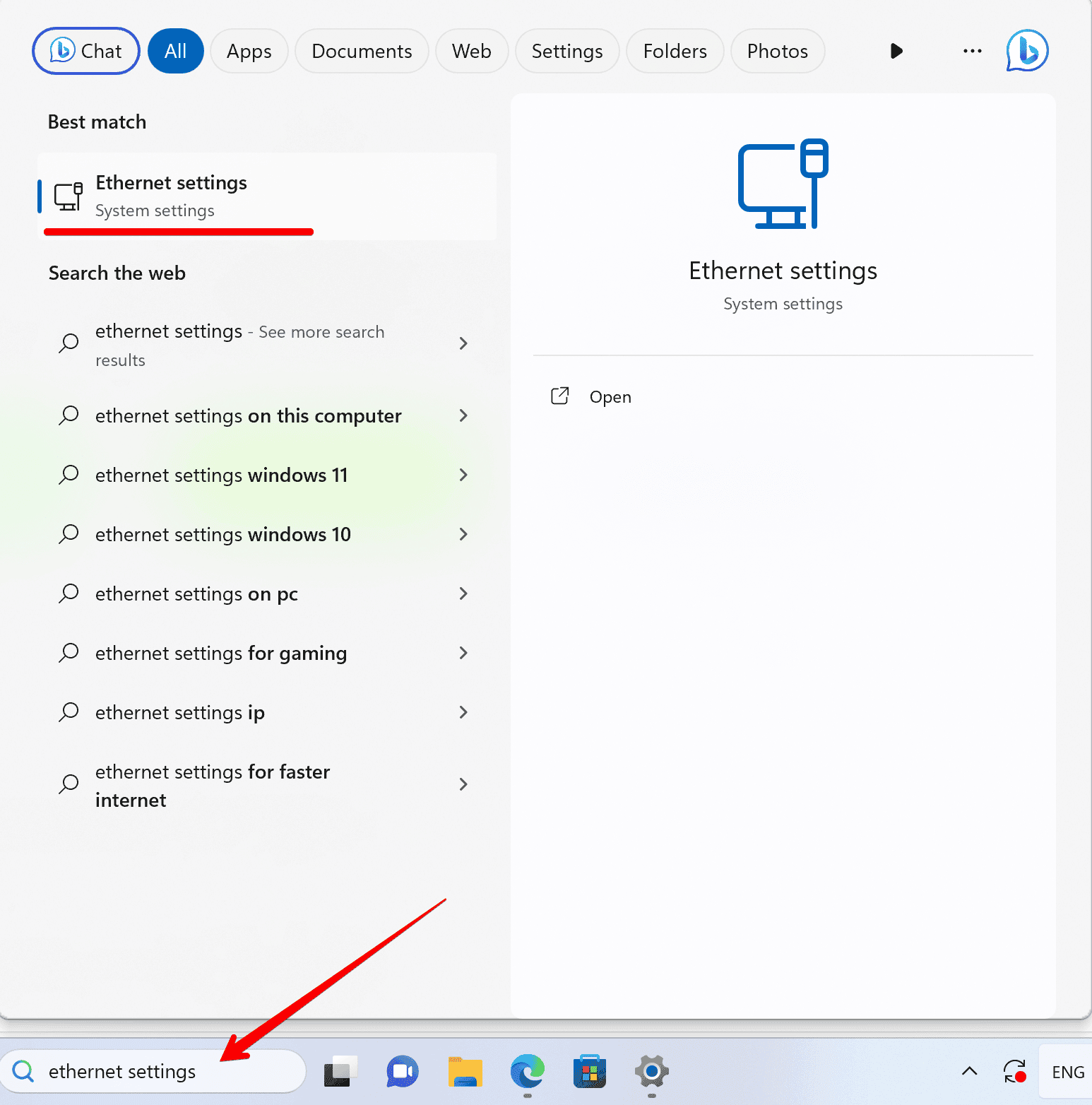
- In the Search bar on the taskbar, type Ethernet settings or Wi-Fi settings, depending on your connection type.
Click the network (Wi-Fi ID or Ethernet) you want to configure.
- Scroll to DNS server assignment and click Edit.
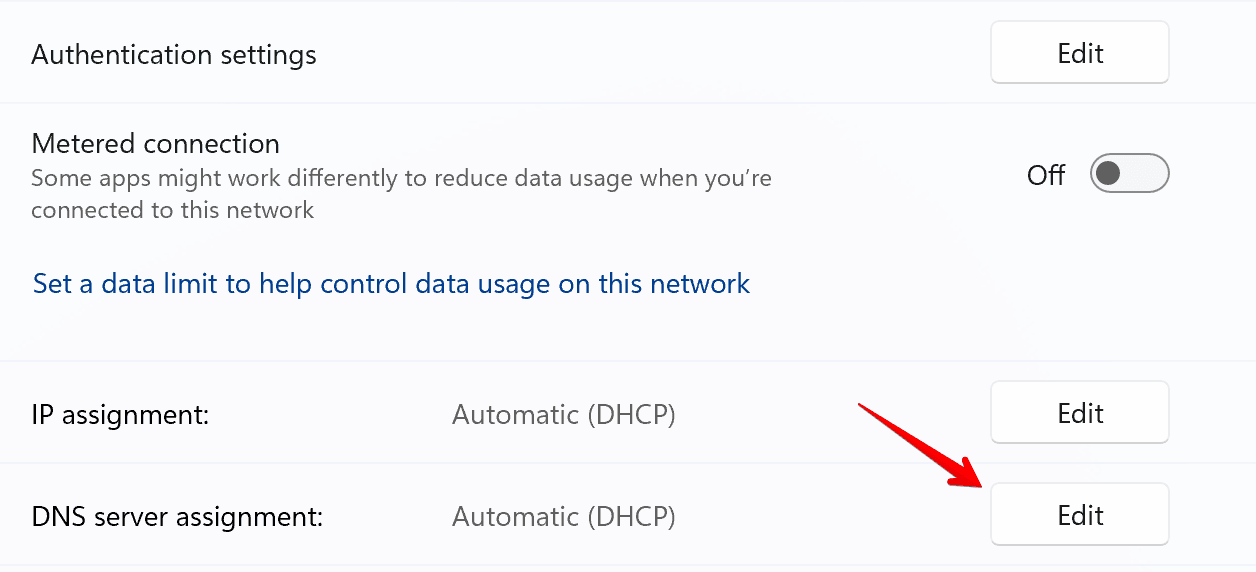
- Change DNS settings to Manual.
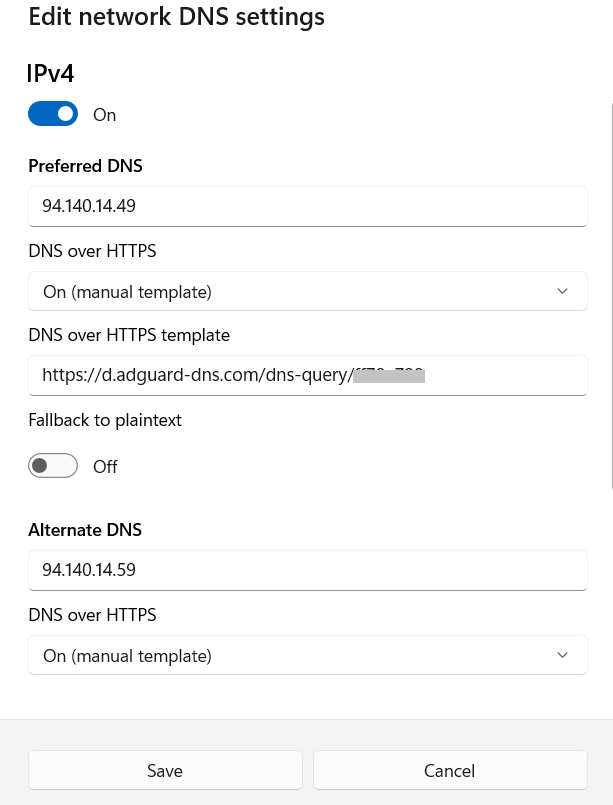
- Toggle the IPv4 switch to On.
- Enter the following DNS server addresses:
- Preferred DNS:
94.140.14.49 - Alternate DNS:
94.140.14.59
- Preferred DNS:
- Turn DNS over HTTPS template to On (manual template) and enter your personal DNS address. You can find it in the Dashboard under Server settings → Devices → Devices settings → DNS-over-HTTPS.
- 点击「保存」。 That’s it — your device is now connected to AdGuard DNS!
使用 AdGuard DNS 客户端
AdGuard DNS Client is a versatile, cross-platform console tool that allows you to connect to AdGuard DNS using encrypted DNS protocols.
More details can be found in different article.
配置无加密的 DNS
如果您选择不使用额外的软件进行 DNS 配置,可以选择无加密 DNS。 您有两种选择:使用关联的 IP 或专用 IP。